Tree / Self Hosting / Movies & TV Shows / Jellyfin / Experience & Ambience
ArtworkPlus
Shows the artwork Jellyfin leaves unused: disc cases that open, a real 3D case, animated posters, character art and backdrops on almost every page.
- Status
- Green · Released
- Type
- plugin
- Hours
- about 445
- Tokens
- about 77 M
1.1.0.0 for Jellyfin 10.10.7 and 2.0.0.0 for 12.0+, as plugin ZIPs under MIT.
In this article
- Everything Jellyfin leaves lying in your folders
- What ArtworkPlus is, and what it refuses to be
- The cases, and the one you can pick up
- Posters, logos, people and backdrops
- How it was built, and with what
- Six ways the work fought back
- What earned its place, and two dead ends
- Green is not the same as visible
- Games, and what is still open
Everything Jellyfin leaves lying in your folders
Jellyfin shows you a poster, a clearlogo and a backdrop. That is it.
Before Jellyfin I spent years in the Kodi community, starting and helping out with artwork projects: actress PNGs, characterart, character poster sets, animated posters. I loved the Kodi skins that turned a plain poster into a case that opens up and spins its disc. When I moved to Jellyfin I missed all of it, and my folders were still full of it. Keyart, postercases, extra posters, characterart, clearart, animated GIFs: Jellyfin simply ignores those files.
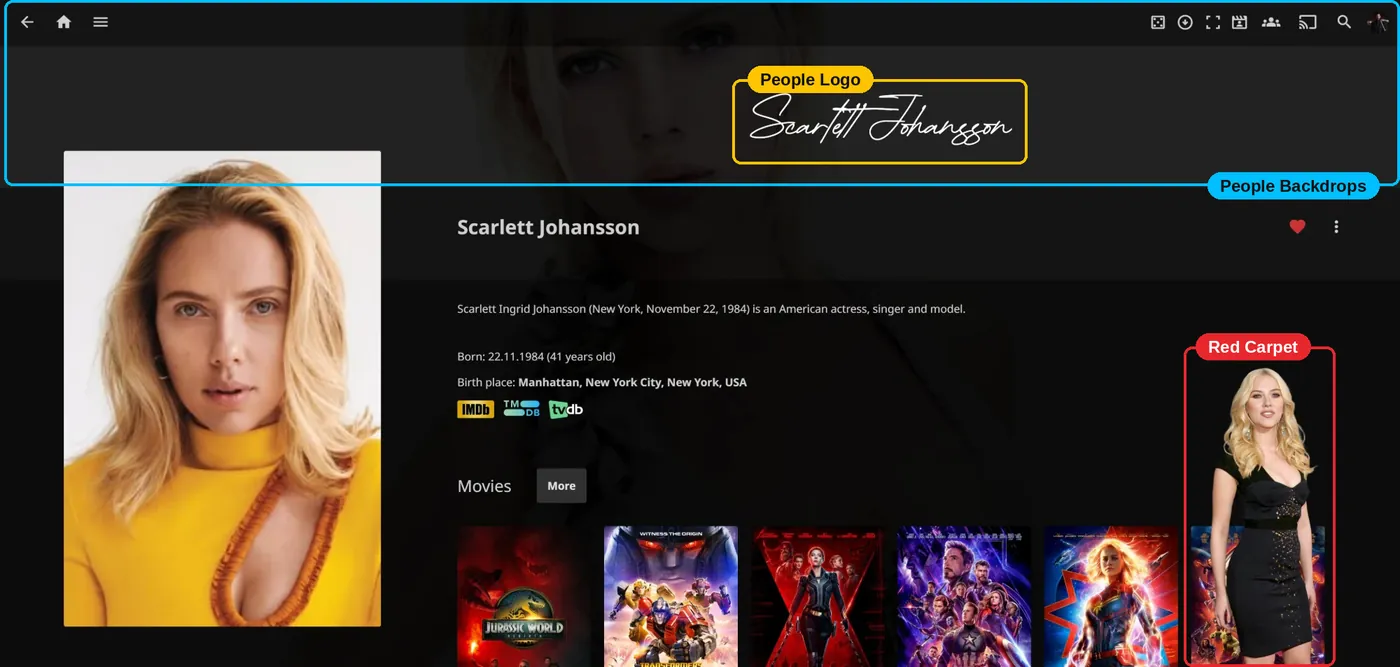
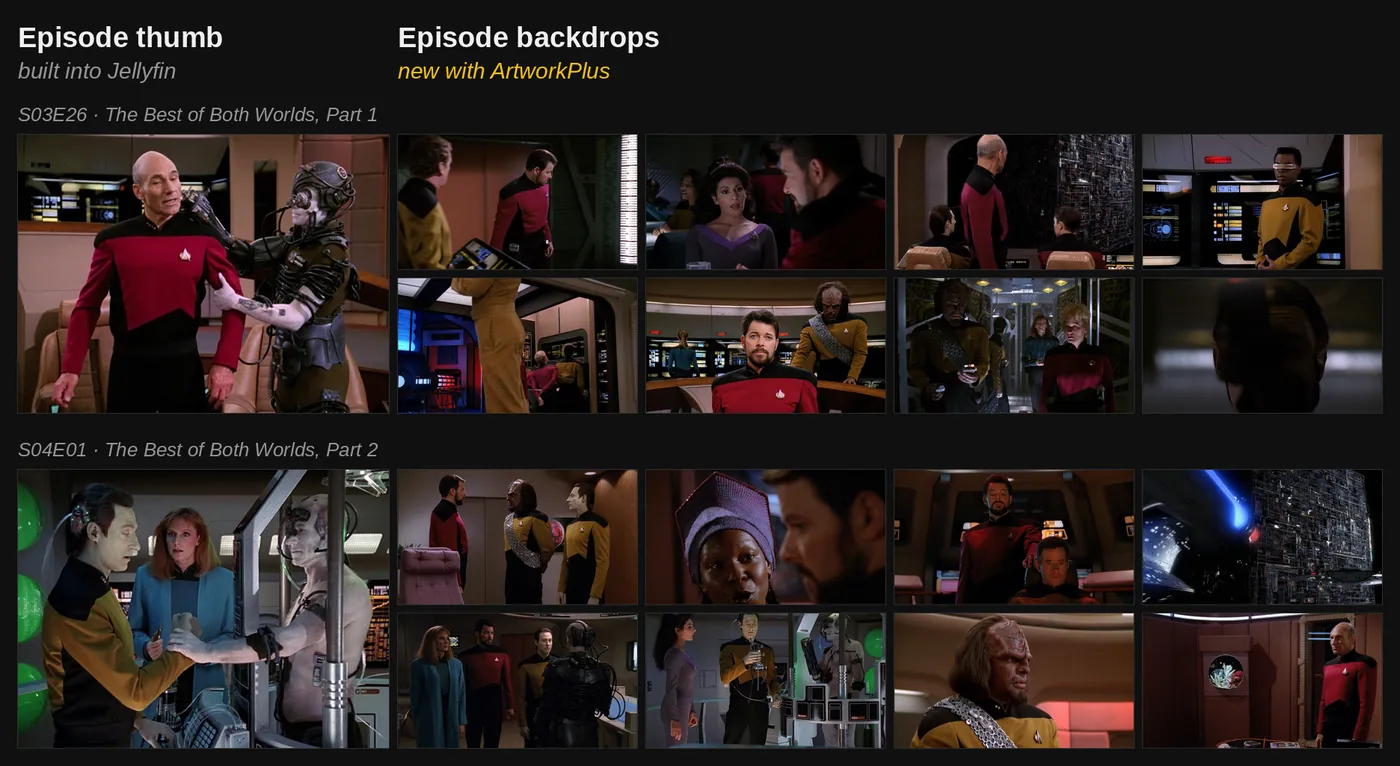
The holes are very concrete once you start listing them. An episode page has no backdrop of its own, so every episode of a series looks the same. A set page only shows the set's own backdrops, and those have to be copied by hand into the collections folder, usually as duplicates of what the films already have. A person gets a small headshot and no clearlogo. Genre, studio, tag and favorites pages never paint a backdrop at all. Clearart is read and inherited by the server and then never drawn by the web client. And anything a plain script tries to replace flashes up first in its vanilla form, which looks rough.
So the goal was to bring that Kodi world to Jellyfin Web, add the things Kodi never had, and not touch the server's source code. No fork. Anything you switch off had to go back to exactly how Jellyfin shows it.
What ArtworkPlus is, and what it refuses to be
ArtworkPlus is a Jellyfin Web plugin with nine tabs: General, Case, Animated Poster, Custom Poster, Extraposter, LogoArt, CharacterArt, Red Carpet and Backdrops. It is not a skin, not a theme, not a frontend of its own and not an artwork scraper. It shows what you already have. There is one exception: backdrops on person pages can come from Wallpapers.com, and that is an option you choose.
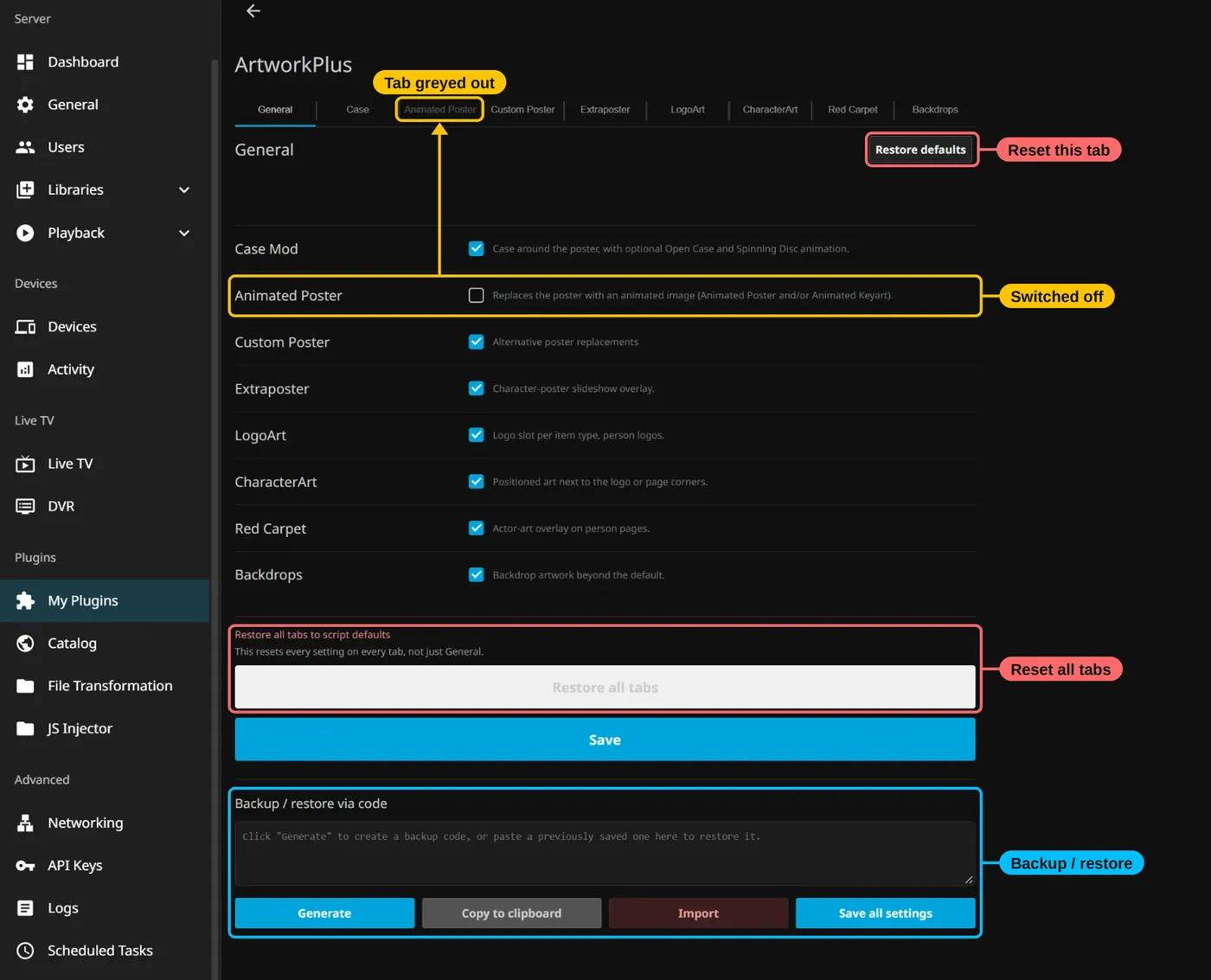
Underneath it is a real multi-layer plugin. A C# part runs inside the server, keeps the settings, finds the files on disk and decides which image goes where. JavaScript draws everything in the browser. CSS goes into Jellyfin Web through the File Transformation plugin by IAmParadox27, which you have to install first. The 3D engine only loads when a 3D case is actually on screen.
One feature you should never notice. ArtworkPlus holds back the vanilla poster, logo and backdrop before the first frame is drawn, and only lets go when it knows what to show. No poster flashing up before your keyart, no logo jumping. If something goes wrong, Jellyfin's own artwork comes back, so a page is never left empty.
If your library was ever set up for Kodi, chances are it finds your artwork right away. Every feature has its own naming mode: prefixed with the folder name, plain type name, or a subfolder with any file names you like. Type names and folder names can be changed freely. The Backdrops tab has a Listener setting that reads Kodi-style names like fanart, background and extrafanart/ directly, so nothing has to be duplicated.
The cases, and the one you can pick up
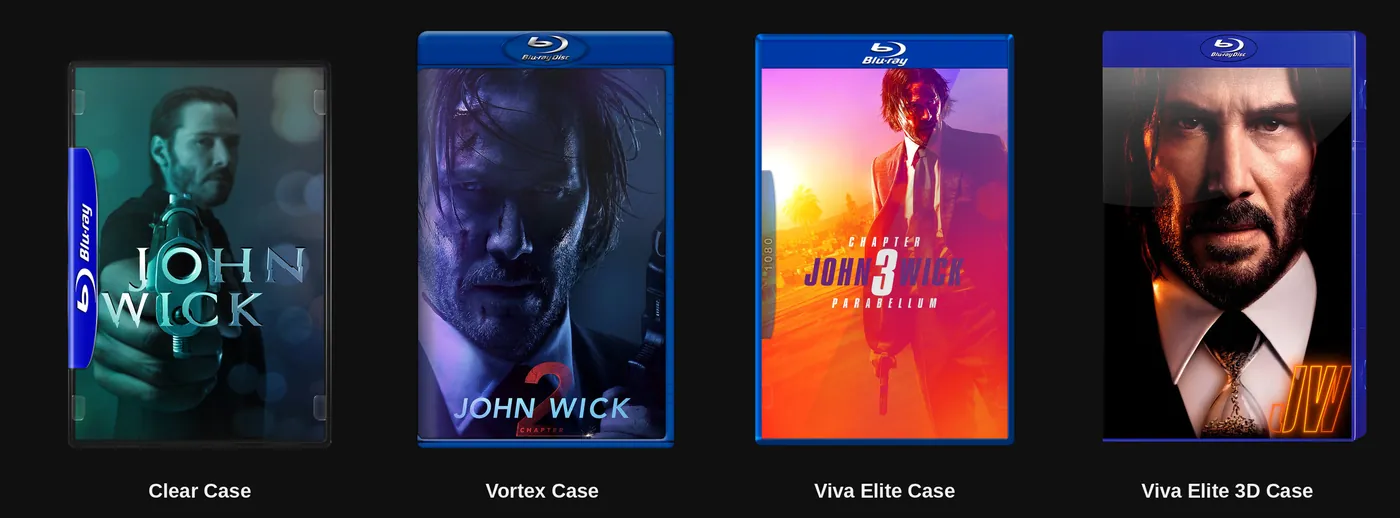
The classic part is four 2D case types: Clear, Vortex, Viva Elite and Viva Elite 3D. They come from the Aeon MQ and Aeon Tajo skins. The case matches the file by itself. A 4K film gets a 4K case, a 1080p film a 1080p case, down through 720p, 576p, 540p and 480p. 3D films get a 3D case, ISOs a plain one, series a TV case. The case opens and the disc spins, automatically or on click, and the plastic can stay original or take a colour from the poster in seven different ways.
Then there is the one Kodi never had. The Three.js Case is a real 3D keep case, rendered live in the browser, that you can grab, turn around and zoom. It is marked experimental and it is for films only. It picks its own shell: DVD, Blu-ray, or a black 4K case with a UHD band. Then it prints itself from your film. The front is whatever poster won, including slideshows and animated GIFs. The spine has the clearlogo, the TMDb number, the studio logo and the format mark. The back has fanart with a barcode, the plot next to a second still, the banner, small print with a recycling mark, a row of media flags, a copyright line and a catalog number. Inside there is the disc and, if you want, a booklet.
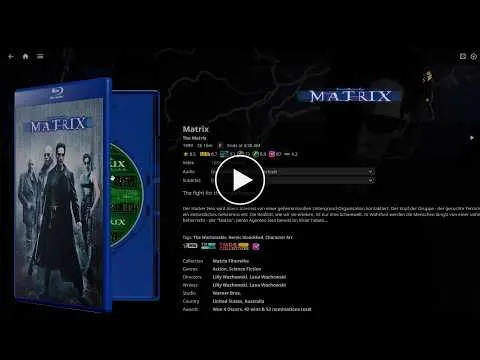
None of that was guessed. Sessions studied 49 Blu-ray backs and 43 DVD backs, measured 8 US Blu-ray covers on a grid, and collected 550 booklet scans for the page shape. Scans of real covers gave the recycling mark and the copy-protection disc. The model itself is based on the JFX DVD and Blu-ray case package, heavily reworked.
Case Mix, finally, is for people who cannot decide. Every title gets a random case and colour from pools you pick, with a "new draw after" period and a No case option.
Posters, logos, people and backdrops
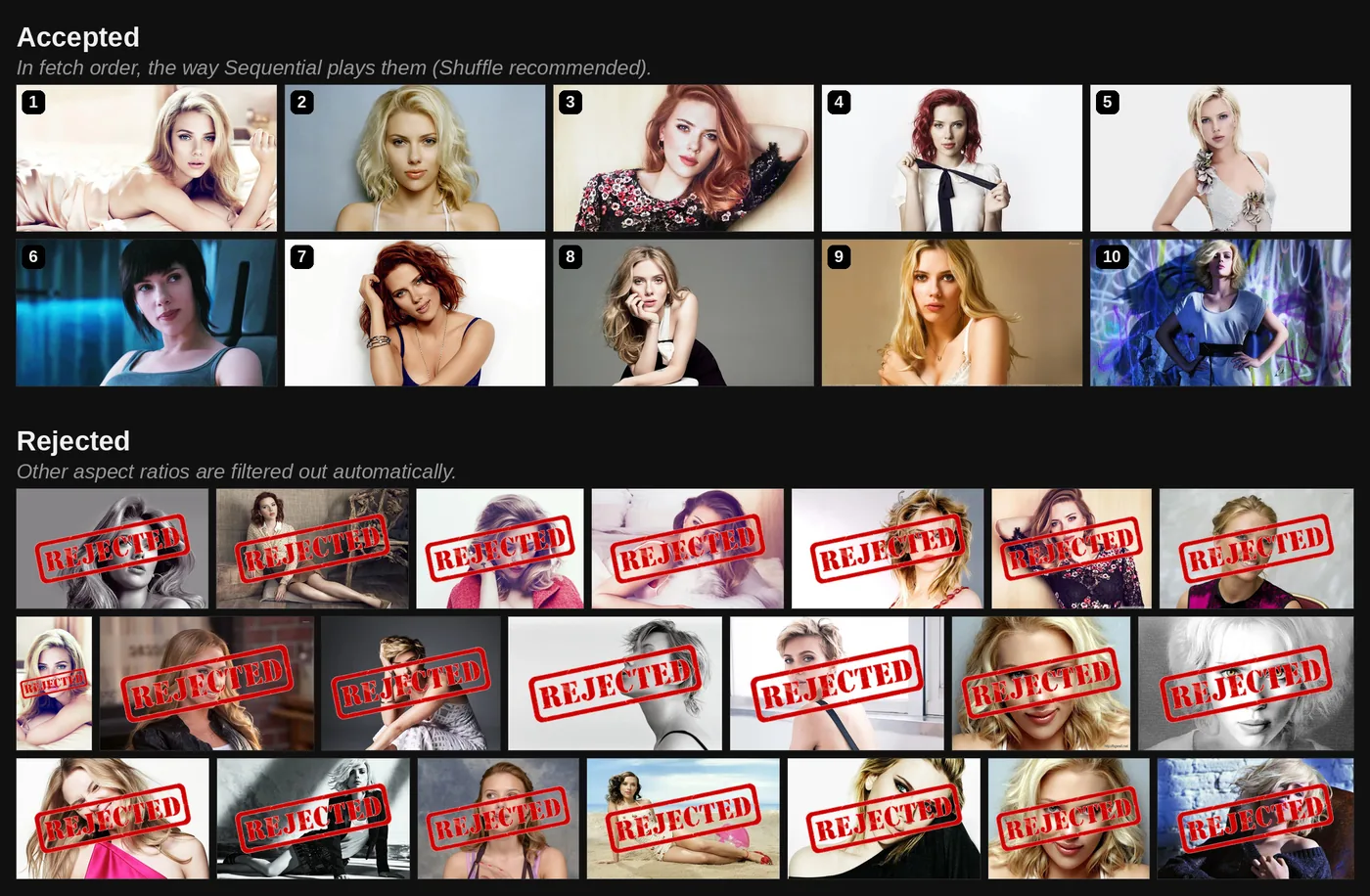
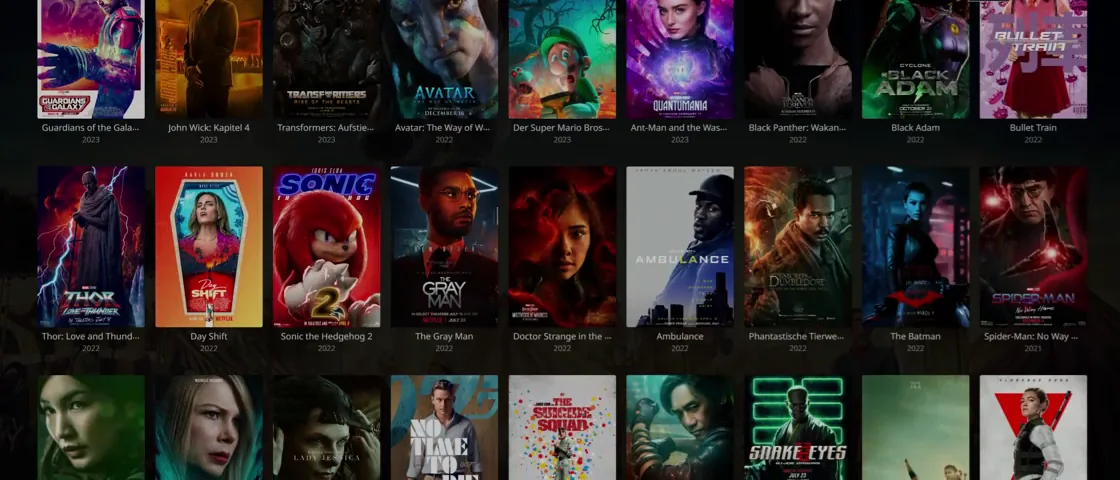
All poster types want the same spot, so there is one chain: Extraposter or Extrakeyart first, then Animated Poster or Keyart, then Custom Poster, then Jellyfin's own poster. A missing or broken file just falls through to the next. Every type can be switched separately for the detail page and for library tiles, and "Show also on" menus decide where else tiles change: Favorites and Search, Home, genre and tag lists, the rows on detail pages. Slideshows have the same controls everywhere: order, loop or play once, random start, display and fade times. Keyart has no title on it, so Jellyfin's clearlogo can be laid over it, which turns a textless poster back into a complete one.
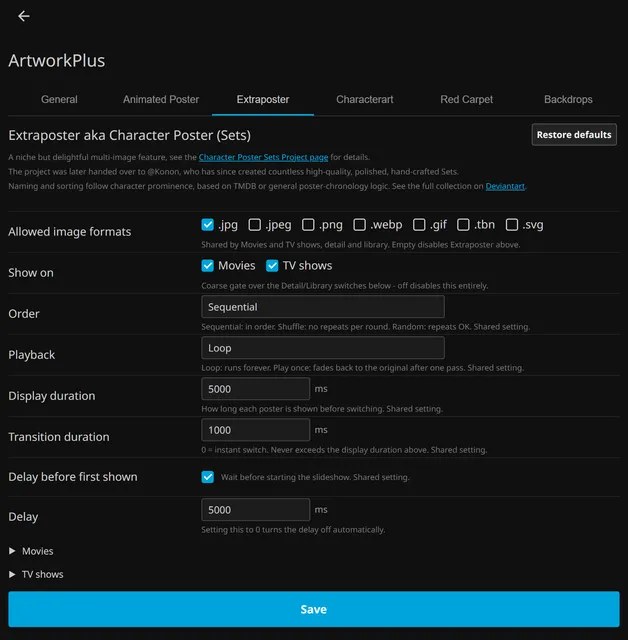
Extraposter is the Jellyfin home of the Character Poster Sets, a project I passed on and that @Konon has carried for years with countless hand-crafted sets. The Animated Poster feature shows the work of the Kodi community's Animated Poster Project, above all of the late @mouflo, its main artist. All credit for that style goes to him.
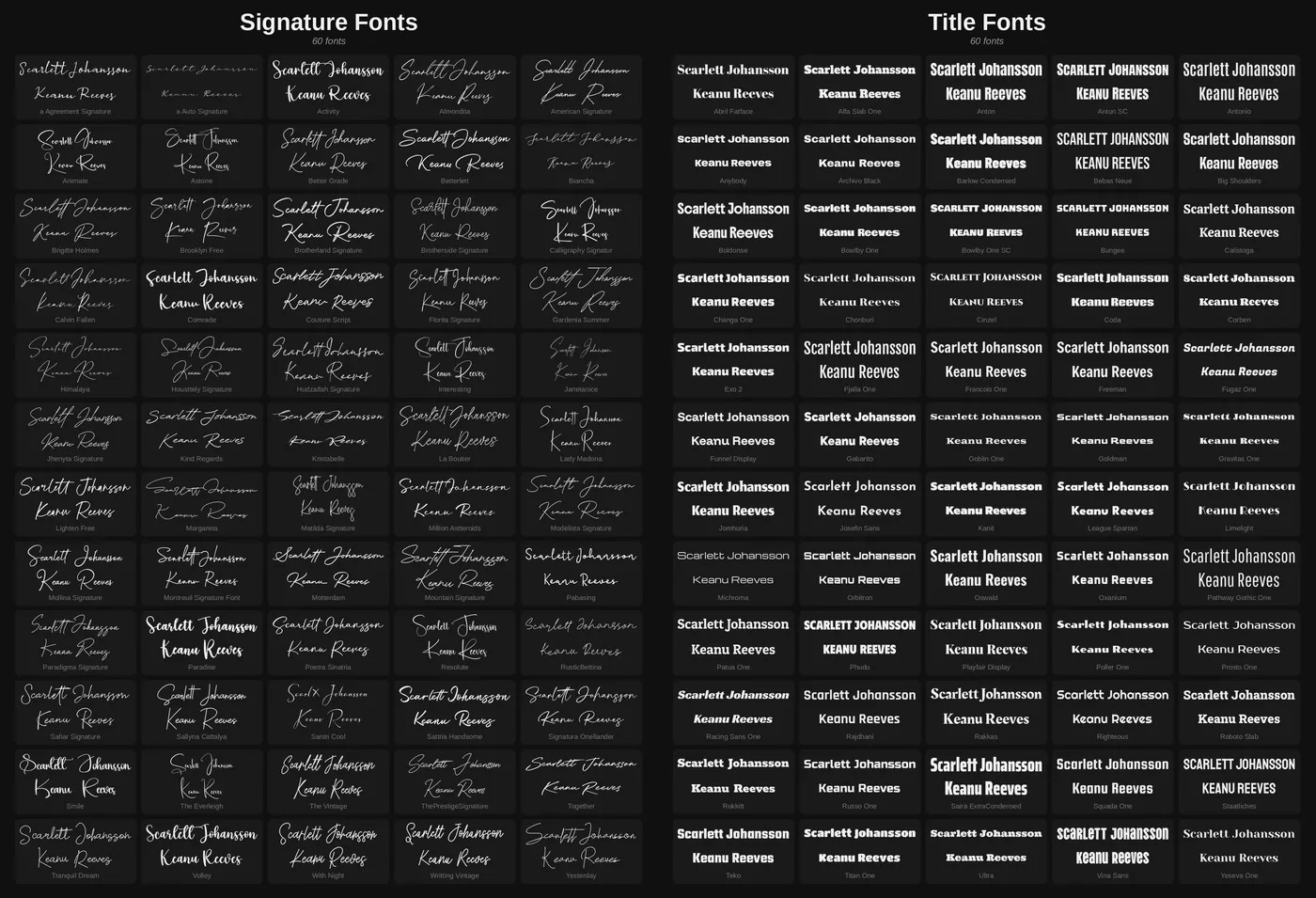
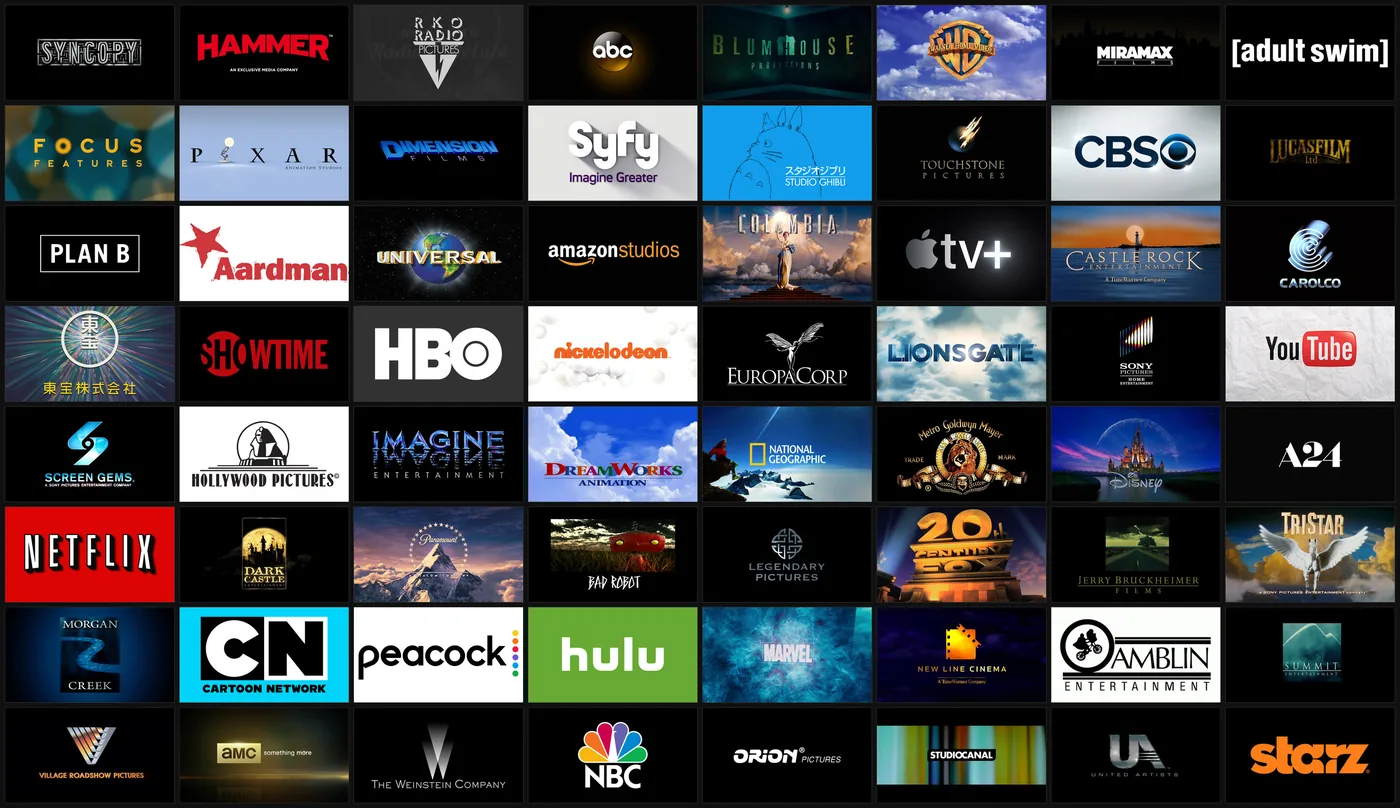
LogoArt gives every item type a chain of source, fallback and second fallback: clearlogo, clearart, characterart, or nothing. Person pages get something Jellyfin does not have at all: a clearlogo from a file, or the name drawn live in one of 120 bundled fonts, 60 signature and 60 title. I picked those by eye. A Create logos button writes real clearlogo.png files if you prefer that.
CharacterArt puts cut-out characters next to the title or in a bottom corner, single or as a slideshow, and animated files work too.
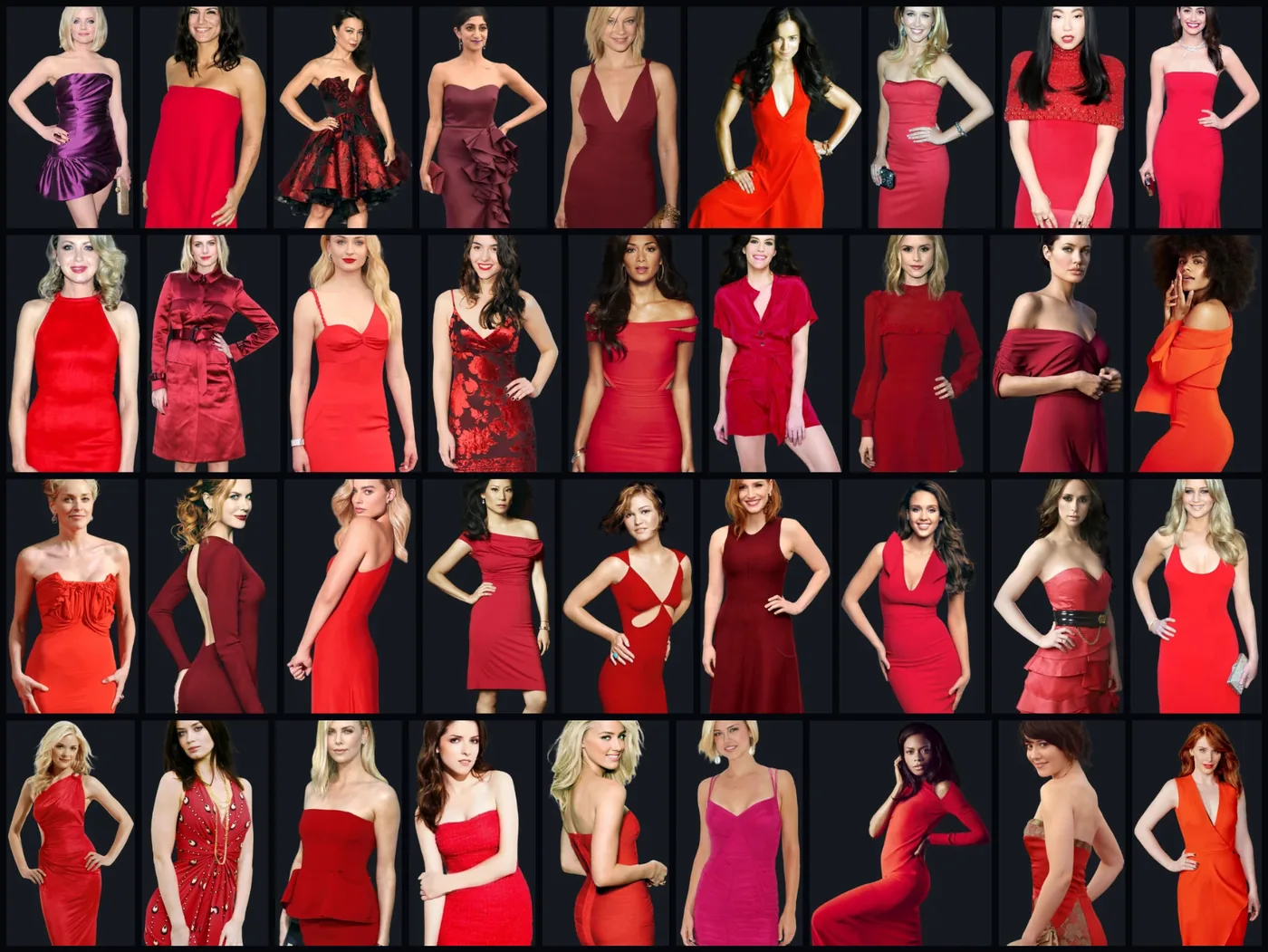
Red Carpet stands a full-figure PNG in the corner of person pages. It is named after the Kodi addon and reads its PNGs, most of them made by @manfeed.
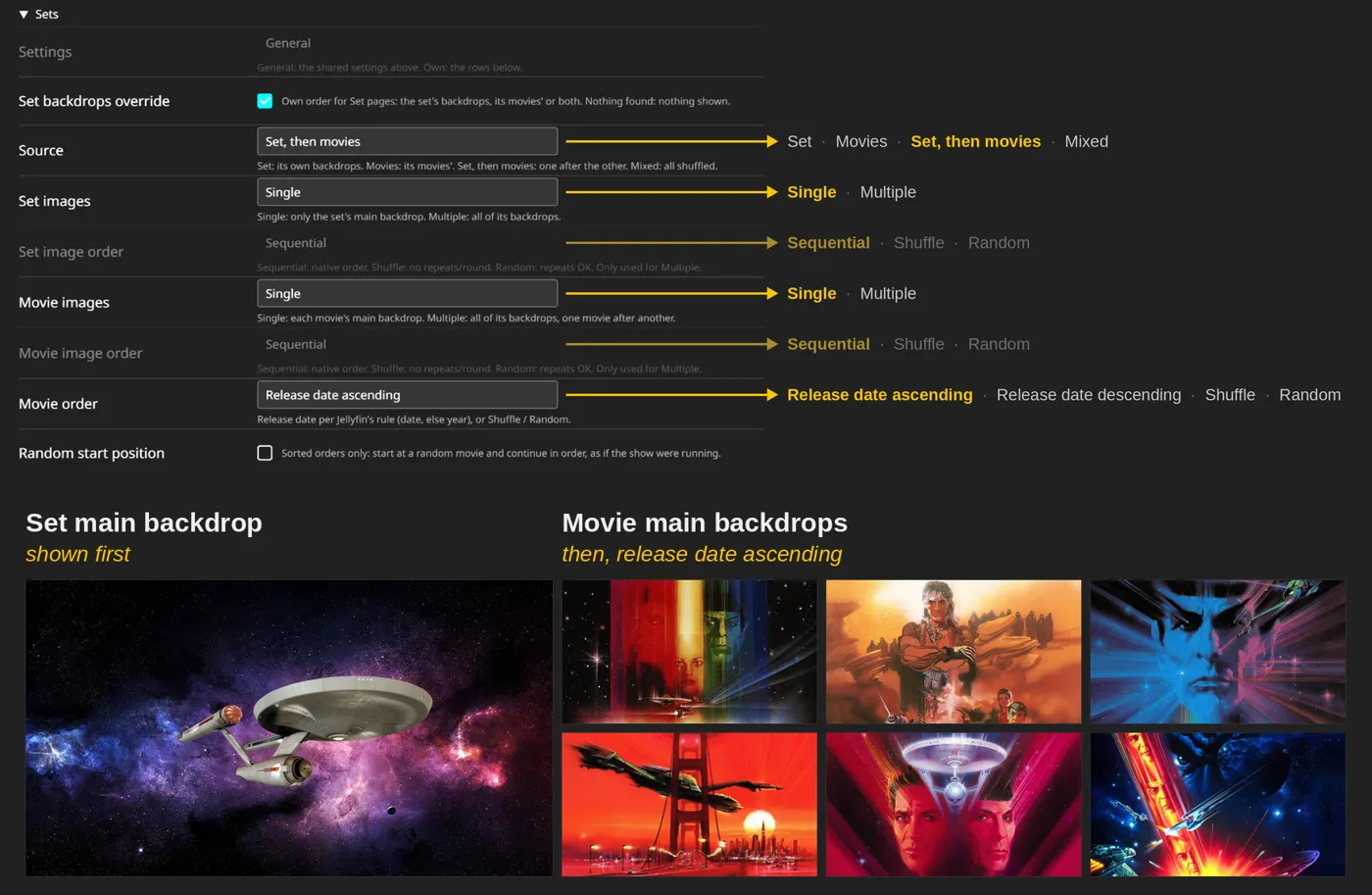
Backdrops have seven categories, and with all of them on there is hardly a page left without one: detail pages including real episode backdrops and set backdrops taken straight from the films, library views including pages Jellyfin never gives a backdrop such as Sets, Search and User settings, then people, genres, studios, tags and eleven favorites types. Each one has its own cycle time and a slow Ken Burns zoom and pan, and wherever possible one backdrop fades into the next instead of cutting.
Installing is the usual route: add the repository to Jellyfin's plugin catalog, or unpack the ZIP for your version, and restart. There are two builds from one source, 1.1.0.0 for 10.10.7 and 2.0.0.0 for 12.0+. It works wherever the web client comes from the server, so browsers, the Android phone app and webOS. It does not appear in Android TV, Swiftfin, Roku, Kodi add-ons or Tizen, because those never load the scripts. I developed and tested it on Chrome and Windows 11. Anything else is untested.
How it was built, and with what
Two very different phases made this plugin.
For about 110 sessions it was developed in the Claude.ai sandbox. There was no compiler there, no dotnet and no Jellyfin, and the sandbox reset between sessions, so I uploaded the Jellyfin sources again and again. C# was checked by reading it, and tests ran in Playwright against a simulated server. I compiled at home myself and pasted the feature scripts by hand into the JavaScript Injector plugin.
Then the project moved to Claude Code on my own machine. From there, sessions could build, deploy with a byte compare, test in a real browser and keep git history. Later, separate sessions worked beside the main one: one for the Three.js Case, one for repainting the 2D case textures, and one that looked after all my plugins together and acted as counter-auditor. All of these are Claude sessions, so "independent" means separate, not a different kind of reviewer.
Claude wrote the code, in both phases. I want to be plain about that. What I brought was the requirement, Kodi skin XML, 56 textures from an Aeon MQ shelf view, Jellyfin and Kodi source archives, screenshots, every go-ahead, and my eye on my own server. The README, repository description and licence are mine. I cannot judge C#. I can judge whether a case opens right.
The other tools matter too. three.js draws the 3D case, Color Thief takes colours from the poster, and ImageSharp handles the Wallpapers.com text filter. For the 2D cases, 18 upscalers from OpenModelDB were compared before I chose 4xTextureDAT2_otf, and the Three.js Case build uses EDSR. Kodi's own source gave the disc timing and the 3D projection for the classic cases.
Six ways the work fought back
No way to check anything. A hundred sessions of code that had never been compiled sounds worse than it was: the first real build gave three errors, all of a kind the reading had not caught, and about 40 other C# changes compiled as they were. The real cost was elsewhere. A stubbed server says yes to everything, and that hid faults at the seams between server and browser. In one case batched tile answers never applied for 30 sessions, because one side used IDs with dashes and the other without, and each side passed its own audit.
Theories instead of facts. Sessions were very good at plausible explanations. Hinge point, rotation sign and camera strength of the 3D case were estimated by analogy, and every estimate was wrong until pixels were measured against a Kodi screenshot. My question became a standing rule: "Glaubst du oder weißt du?" Do you believe that, or do you know it? Check the source, or get the real artifact, then fix. A plan comes first, and I give the go.
A page that belongs to someone else. Jellyfin rebuilds its pages, paints over layers and clears backdrops on its own schedule. ArtworkPlus has to hold back the vanilla image, arrive in time and hand over cleanly, on every page type. The backdrops are the best example. What looked like one transition bug was six separate implementations, each guessing whether a successor would come. They became one model, written down first, with the old behaviour recorded in a failing test.
Admin complexity. 1,004 settings fields depend on each other, and greyed-out options kept contradicting each other. All ad-hoc rules were rebuilt into one gate system with its own rule book of over 100 KB, enforced by tests.
Geometry and textures. Making a 3D case believable took studies of real covers. Recolouring the 2D cases without ruining wordmarks and gloss needed a different idea: splitting every pixel into plastic and white light with a least squares fit, with no detection, no mask and no threshold.
Testing that lies. This became the main theme. A browser window that is covered freezes animations and lazy images, so a probe reports bugs that do not exist. Calibration from the agent's own tab was wrong for my real window. Three test files with 158 green checks met a live server and got HTTP 400. A release probe was green while a real install would have had no features, because it copied files like a deploy. In the first run of a large live suite, 13 of 17 reported bug groups were errors of the suite itself.
What earned its place, and two dead ends
- Worked: holding back vanilla images before the first frame. It is what makes the plugin feel native.
- Worked: one backdrop model in place of six copies. A baseline test had 5 of 11 red on the old code, and the new code passed 12 of 12.
- Worked: the Three.js Case as its own project first, then ported into the plugin with a fixed contract.
- Worked: the per-pixel split for recolouring cases.
- Worked: one source for two Jellyfin lines, with a matrix of features and modes made binding before every release.
- Worked: a live suite with rules fixed before the run, 273 steps over 84 configurations, and a counter-audit that corrected 14 of its 52 rules.
- Partly: performance. A 185-step stress run before release, on one PC and one library, took leftovers at the end from 143 to 8 and the longest task from 5,836 to 1,478 ms. Only signals like these count, because the runs differed in other conditions. Transfer stayed about 8.9 times vanilla, nearly all of it library tiles on my own maximal setup. That is the price of the idea.
- Partly: unit tests. They pass, but they test plugin logic on hand-copied DOM, not Jellyfin compatibility. That comes from live probes and a layout sweep of 32 widths on both lines.
- Did not work: rebuilding the Blu-ray wordmark as a new high-resolution logo. It was a reconstruction that should never have started.
- Did not work: a Real-ESRGAN rescue of the SET symbol, which I rejected by eye.
Green is not the same as visible
The most valuable moments in this project came from comparing what a tool reported with what was on my screen. Metrics said fine, and I looked and said no. Over time that turned into rules: measure in the user's real state, test the real wire, treat a test finding as a claim about the test first. In one line: green is not the same as visible.
Games, and what is still open
The newest work is not public. Playnite Bridge shows my games as a Jellyfin library, and the two plugins divide the page between them by agreed rules. ArtworkPlus offers poster size, LogoArt, CharacterArt and backdrops for games. While it is active, the Bridge greys out its own artwork options and stays away from those page elements, so two plugins never touch the same one. My rule was simple: the same features with and without ArtworkPlus.
The open list has long frames on detail pages and the handling of a lost 3D context.
Releases ship as ZIPs under MIT. Credit goes to the Aeon MQ and Aeon Tajo skins for the cases and their effects, @mouflo, @manfeed and @Konon, fanart.tv, three.js, Color Thief, ImageSharp, the JFX case package and File Transformation by IAmParadox27.
Connected
Next: Cinema Project