Tree / Self Hosting / Movies & TV Shows / Kodi
Red Carpet
A resource addon of actor art, grown by the community to more than 500 images.
- Status
- Green · Published
- Type
- addon
- Era
- pre-AI, handmade
Released to the official Kodi repository, reaching 500+ transparent images of actresses with v1.0.0, about 90 % of them created by manfeed. Its latest version, v1.0.1, came from latts9923.
Kodi forumKodi wikiDeviantArtYouTubeGitHub
In this article
A cast list with no room for a person
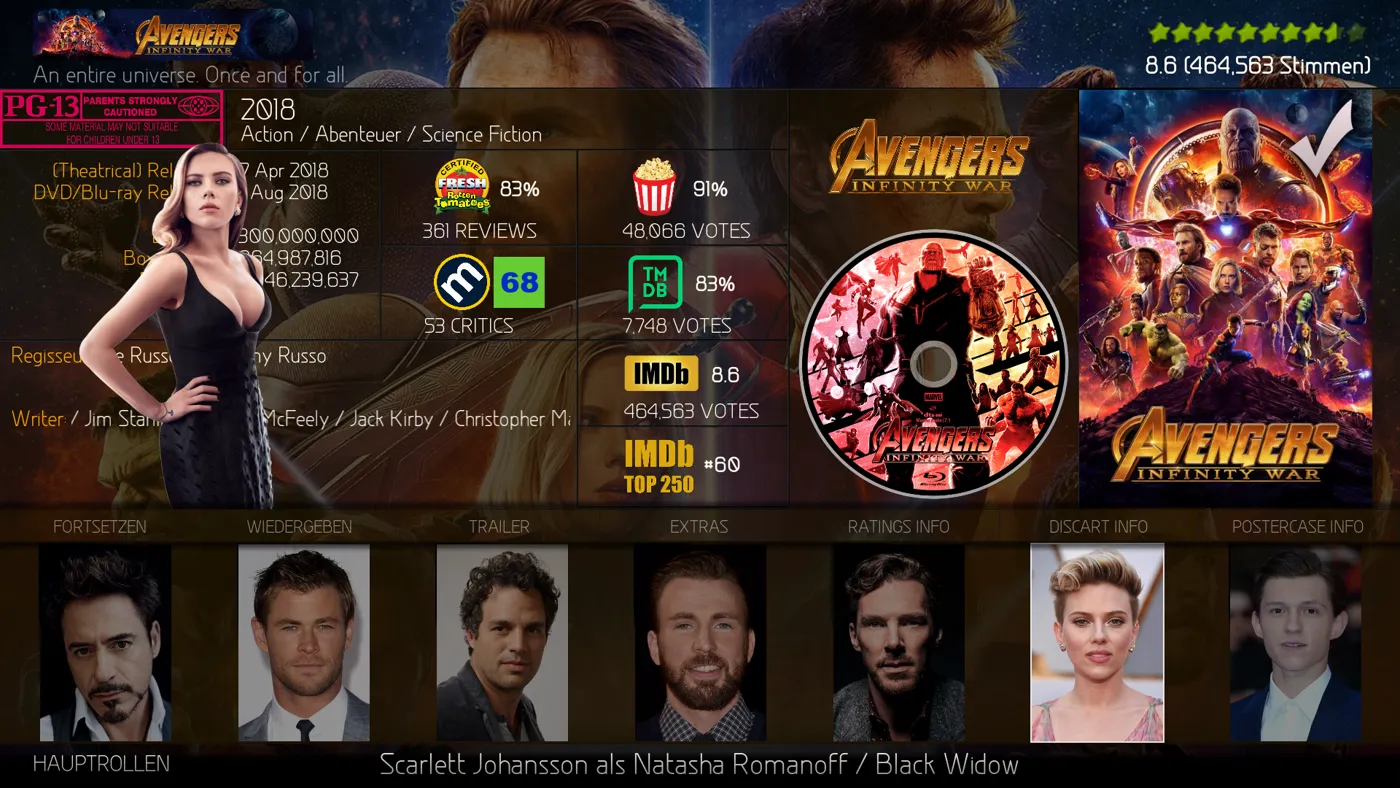
Kodi's video info dialog shows the cast as a list of small thumbs. That was all. There was no way to highlight an actress graphically when she has the focus, and no artwork type to build it on, because artwork types belong to a film or a show. A person who appears across many films is a different kind of thing. I also wanted pictures free of any film role, which characterart does not give you.
The plan was simple to say: move through the cast list, and a full-figure transparent PNG of that actress appears beside it, on movie, show and episode level, with all the images uniform enough to look like one collection. My main focus in everything I did for Kodi was to create more ways of showing artwork.
What Red Carpet is
Red Carpet is a Kodi resource addon with the id resource.images.actorart, listed under Image collections. A resource addon is a good fit here because it needs no link to any media. It is a flat folder of images, and a skin asks it for a file by name. Nothing is scraped, nothing is stored in the Kodi database, and nothing has to be assigned film by film.
That one decision carries the whole project. The filename is the actor's name, exactly as Kodi shows it. The skin takes the label of the focused item in the cast list, puts the addon's address in front of it and .png behind it, and the picture appears. Rename a file and it silently disappears from the skin.
How the images are made and stored
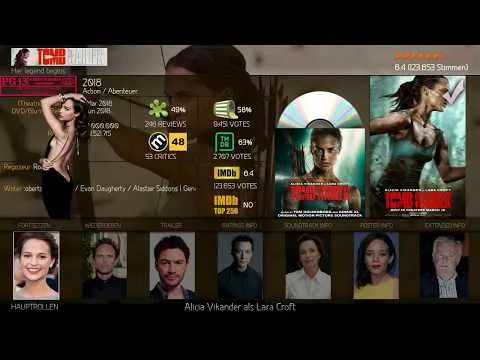
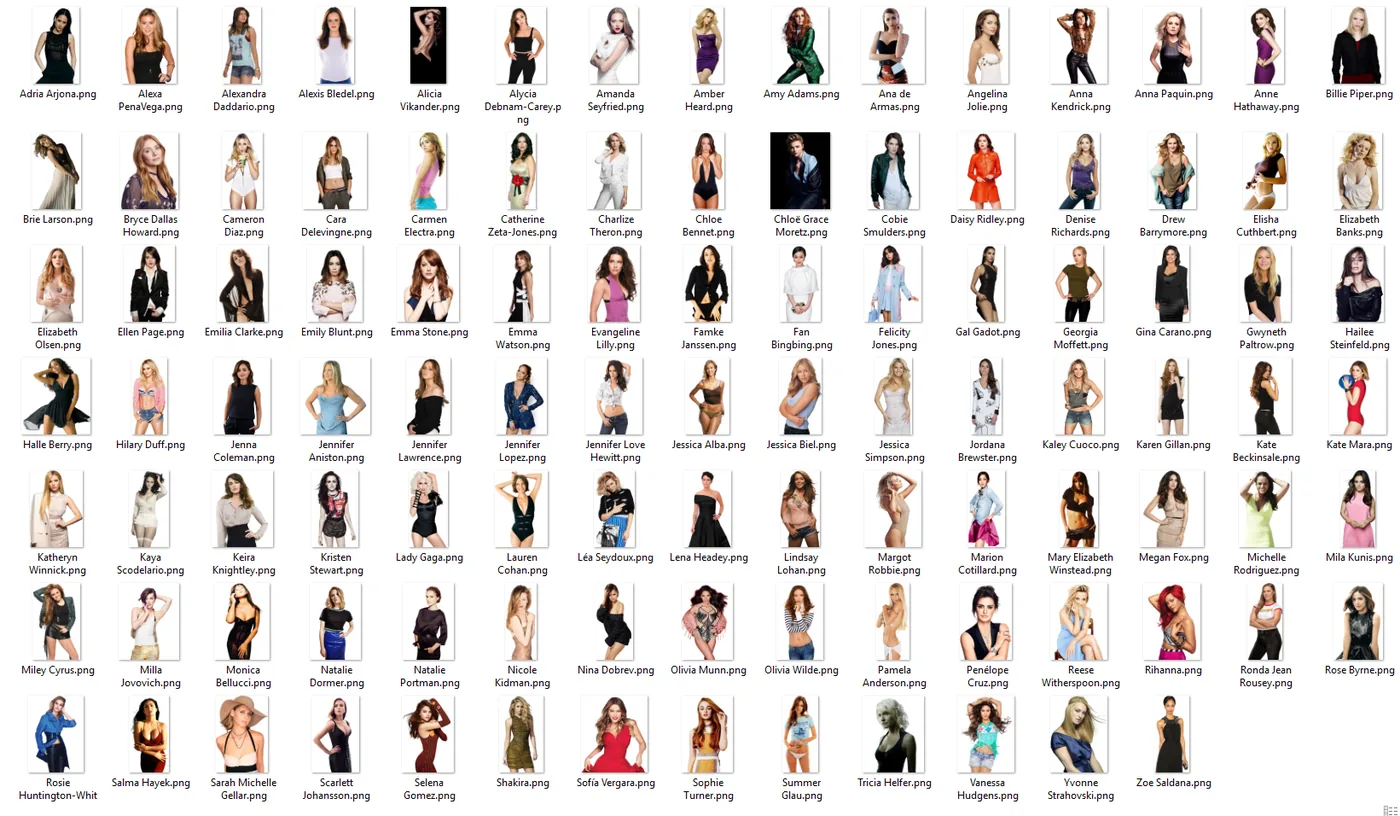
Every image follows the same conventions, and they are what make 500 pictures from many hands look like one set:
- Transparent PNG, with edges that flow smoothly into the transparency. Hair is where this shows most.
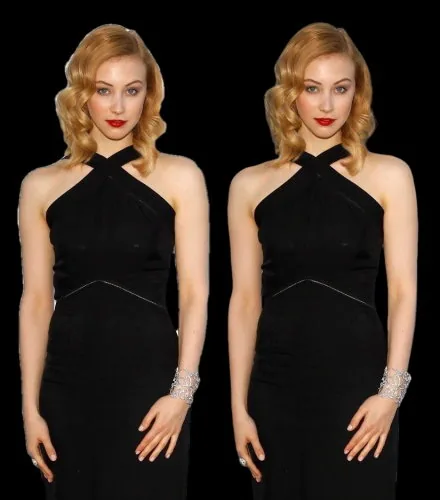
- 1000 pixels high, width variable, fitting a 2:3 frame so that it sits like a poster.
- At most 1 MB, and not under 300 KB. EXIF data removed.
- Cut close at the top, left and right, but never cut off there. Usually cut below, with most pictures showing the body down to the knees at most, so the figure can stand on an edge or separator line in the skin, the way clearart does.
- Civilian clothing rather than film roles. Role and costume art belongs in my Character Art pack.
- One image per actress. Choosing that one image is a matter of taste, and anyone can swap it locally.
Everything sits in one folder without subfolders. Local changes are easy: replace a file in the installed addon's resources folder and keep the name. An update puts everything back, so people should keep a copy of their own.
Alongside the addon I offered a second download of about 2.8 GB with originals and variants, and a backup on DeviantArt under the name RedCarpetCandy, with sets retouched and pre-named. That became Red Carpet's own page: Red Carpet Candy on DeviantArt. The showcases are on YouTube, under the same name.
Installing it and getting it into a skin
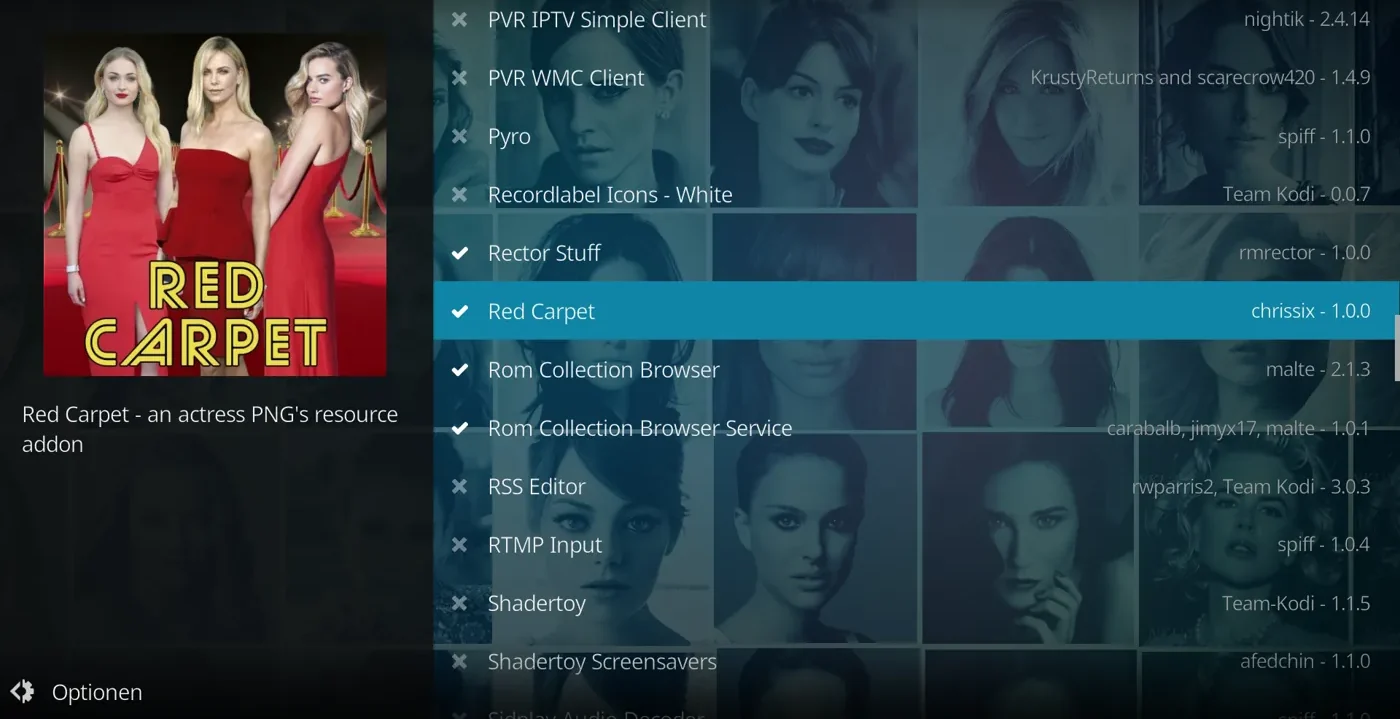
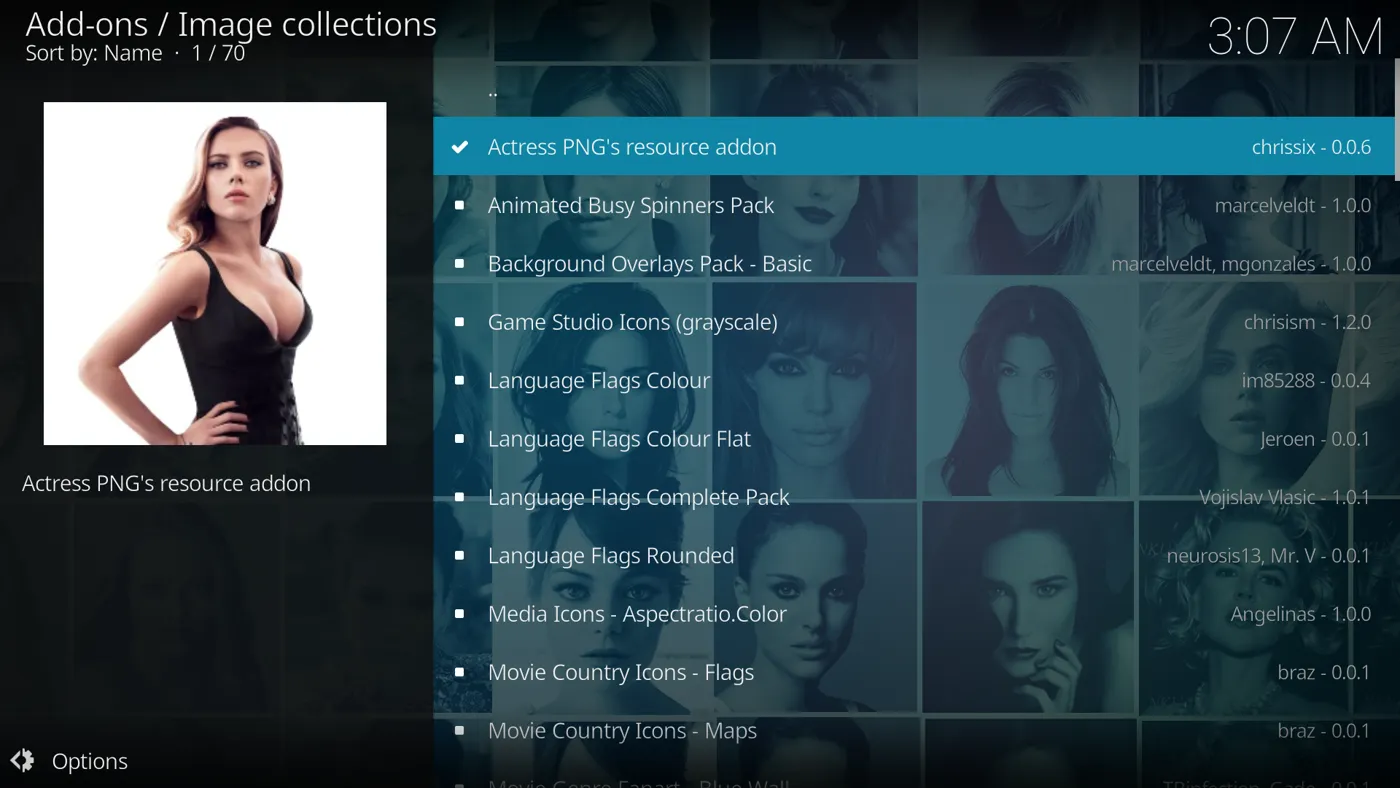
Installing is the easy half. In Kodi: Add-ons, Install from repository, Look and feel, Image collections, Red Carpet. The addon alone shows nothing, though. The skin has to ask for the images.
Two implementations are in common use:
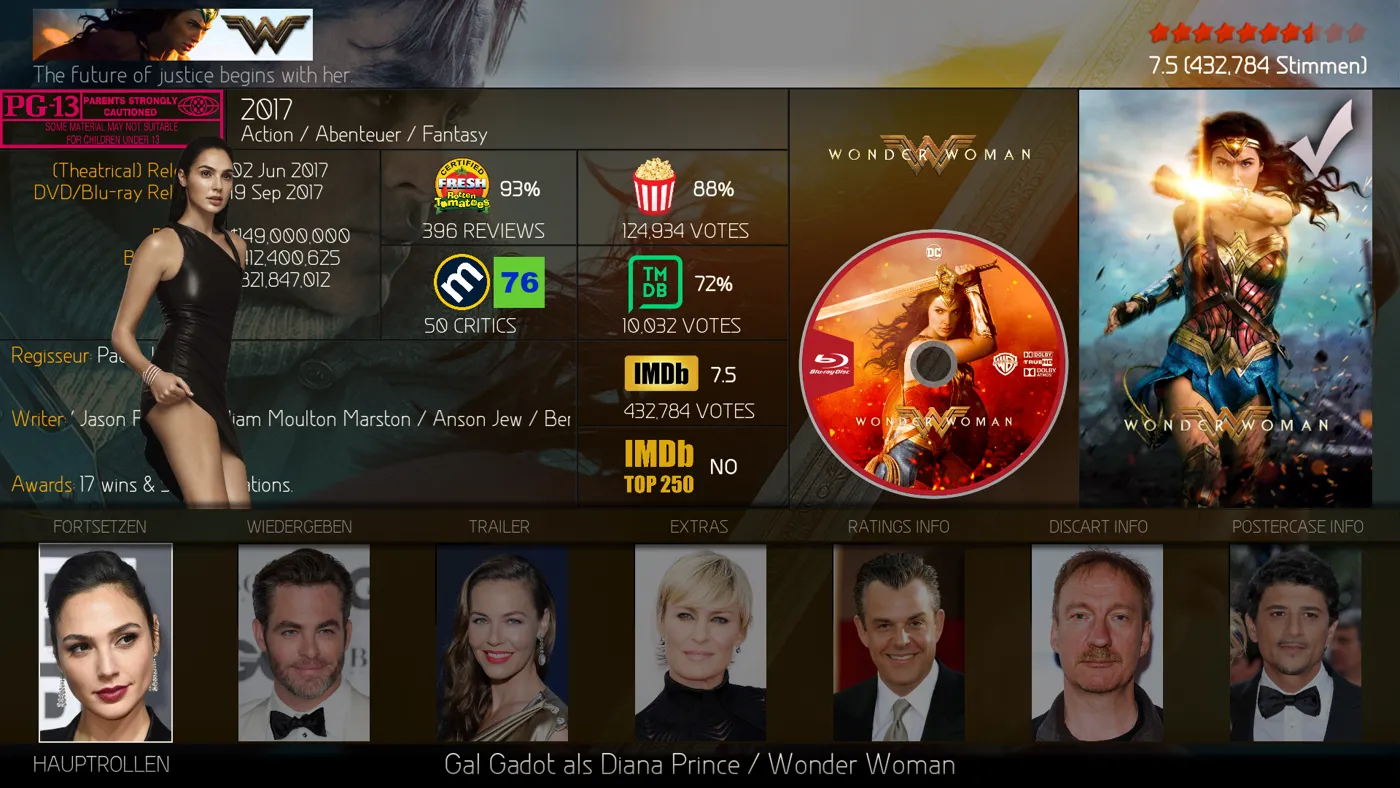
- Cast list in the info dialog. A single image control at the bottom of DialogVideoInfo.xml, visible while the cast list has focus. It needs only Kodi's own skin engine. I offered ready paste-in files for Estuary on Krypton and Leia, a step-by-step manual route, and an annotated example for the Aeon MQ skins.
- Slideshow everywhere. A multi-image slideshow of the cast, in the info dialog and in views. This needs sualfred's Embuary Helper, because of an option he added to it at my request. It compares the cast with the addon and skips actors who have no image.
The skins with support, as the first post of the thread lists them: AEON TAJO and AEON MQ 8 TAJO by manfeed; AEON MQ 7 Krypton Mod, Leia Mod and MQ 8 Mod by latts9923; AEON Nox: SiLVO by mikeSiLVO; Amber for Leia and Matrix by bsoriano. For any other skin, the way is to edit the XML yourself or to ask its author.
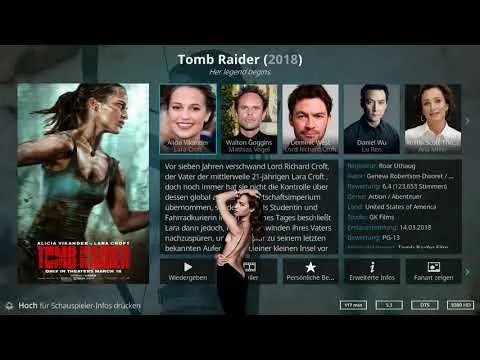
A forum thread as a workshop
This is pre-AI work: handmade community work, grown in a forum thread. I had the idea, built the addon, set the conventions, wrote the skin code and ran the thread. The first version was a starter pack of 100 images. Most of the artwork after that is not mine, and that is the real story of this project.
manfeed joined in on the very first day and stayed for years. About 90 % of the content at the 500+ stage is his, and he also proposed the name Red Carpet and made the icon. He mostly did not find these images, he made them. His method, which he shared openly: pick a good photo at least 1000 pixels high, cut out the head area, run only that through remove.bg because hair is the hardest part and the free option is limited in size, then bring it back into Photoshop, cut the body by hand and refine the outer edge of the hair. His own aim was to make "an image they could be proud of". You can see that care across the whole collection.
The rest of the toolkit was plain. Sources were Google search and DeviantArt, with rights staying with their owners and nothing used commercially. I compressed by file size with XnShell, TMDB links helped to compare names, and the forum thread itself served as workshop and archive: people post images, the thread search finds them, and I packed them into versions.
Others carried it too. Captain_Pike added content to versions 0.0.4 to 0.0.7. rschiks planned it for KyraDB and his API. ronie reviewed the repository submission and advised the final id. Later sito1961, shedrock and martinsvision posted images, while manfeed kept asking for clean outlines.
The growth was steady: 100 images at the start, 354 by v0.0.7, then 500+ at v1.0.0, which also brought the brand, the 2:3 rule and the exchange of more than ten images to take the tone down. As I stepped back, I published 526 as a ZIP outside the repository.
Names, accents and a repository
The official repository. For someone with no GitHub knowledge this was very hard at the time. There was also real doubt whether a pack of images of real people would be accepted at all, and a member expected copyright to stop it. ronie showed me a route that worked without GitHub skills, through issue 76 in the resource repository, and manfeed advised me too. It cost one rename of the id, which forced a new install, and it succeeded with v0.0.6. Because the addon is much larger than usual, the agreement was to update the repository rarely.
Special characters. Files with accents in their names are fine in the repository and in the ZIP, and get falsified during installation. I place that fault in Kodi core, and it hits resource addons in general. It affects about a dozen files here. The only remedy is to overwrite the installed resources folder with the one from the ZIP.
Name matching. The filename is the only key. When two actresses share a name, only one can be served. Actor IDs might solve this, but I could not say how that would work in skin XML. The manual swap is the only way around it.
Image quality. Resource images are not re-rendered and cached the way artwork is. Oversized files look grainy in a skin, which is why file size became a convention and not only a storage question.
Keeping it current. The repository stayed at v1.0.0 for about five years, while images kept arriving as forum posts that users had to fetch one by one.
A label, a folder and one line of skin code
The core idea held. A label, a folder and one line of skin code gave Kodi something it had no concept for, without changing Kodi. It reached the official repository, it went into real skins, and the conventions held across many contributors. manfeed's unofficial 1000 pixel habit became the official rule.
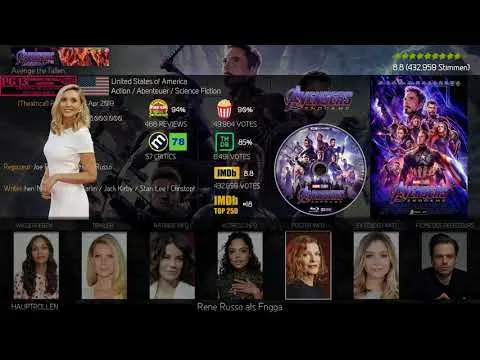
Three things stayed out of reach: serving two people with one name, the special characters, which are still unsolved, and regular updates once I stepped back. I agreed in the thread that an update was due and did not deliver one.
The community answered that. Users asked whether the addon was still maintained. latts9923 tried to reach me, got no reply, and took responsibility himself. He added 87 images, helped by mikeSiLVO, and got v1.0.1 merged. It was not my release. When I returned to the thread I thanked manfeed, latts9923 and Konon.
Several versions, side by side
Several versions now exist side by side: mine, manfeed's, which is stricter on quality than mine, latts9923's and those of other users. My idea is to merge them once a new Kodi version is stable, removing weak images, with manfeed's version as the baseline. There is no pressure and no deadline. The PNGs also live on in my Jellyfin plugin ArtworkPlus, whose Red Carpet tab is named after this project.
A filename as the only key is wonderfully simple and just as limited. And a project that is good enough can outgrow the person who started it, which turned out to be the best thing about it.
Connected
Next: Character Poster Sets