Tree / Self Hosting / Movies & TV Shows / Jellyfin / Experience & Ambience
Cinema Project
A first-person 3D cinema built from your own library: posters on the walls, theme songs, trailers on the screen, walkable like a game.
- Status
- Green · Released
- Type
- plugin
- Hours
- about 201
- Tokens
- about 27 M
Builds for Jellyfin 10.10.7 and 12.0+ are public, and I call it an experiment and a showcase, not a finished product.
In this article
A room for the moment before you press play
This project did not start with a bug or a missing feature. It started with a message. A Jellyfin user and fan of my GitHub projects asked whether something like this would interest me: an experiment built around interactivity and virtuality, aimed mainly at children and at people who are reached by images, audio and video more than by thumbnails and scrolling text lists. He sponsored a month of Claude Max for it and asked to stay anonymous. Thank you for that, whoever you are.
Jellyfin plays films perfectly well, so playback was never the gap. What I wanted was the part before play: walking through your own library and letting posters, music and light put you in the mood. Most of a film's soul is buried in a poster and a thumbnail. Cinema Project builds a real room around that.
The second goal was a low barrier. There are other projects that bring Jellyfin into 3D, and I list them in my README for completeness. Halcyon Video is a walkable 1990s rental store, a lovely idea, but it runs as its own service with its own login. PixelReel puts a screen into Minecraft. A foyer showcase on Reddit was hooked up with a few AI prompts and stayed private. I wanted no extra server, no separate service, no second login. One install, one click, friendly enough for someone who is not a software engineer.
What it feels like
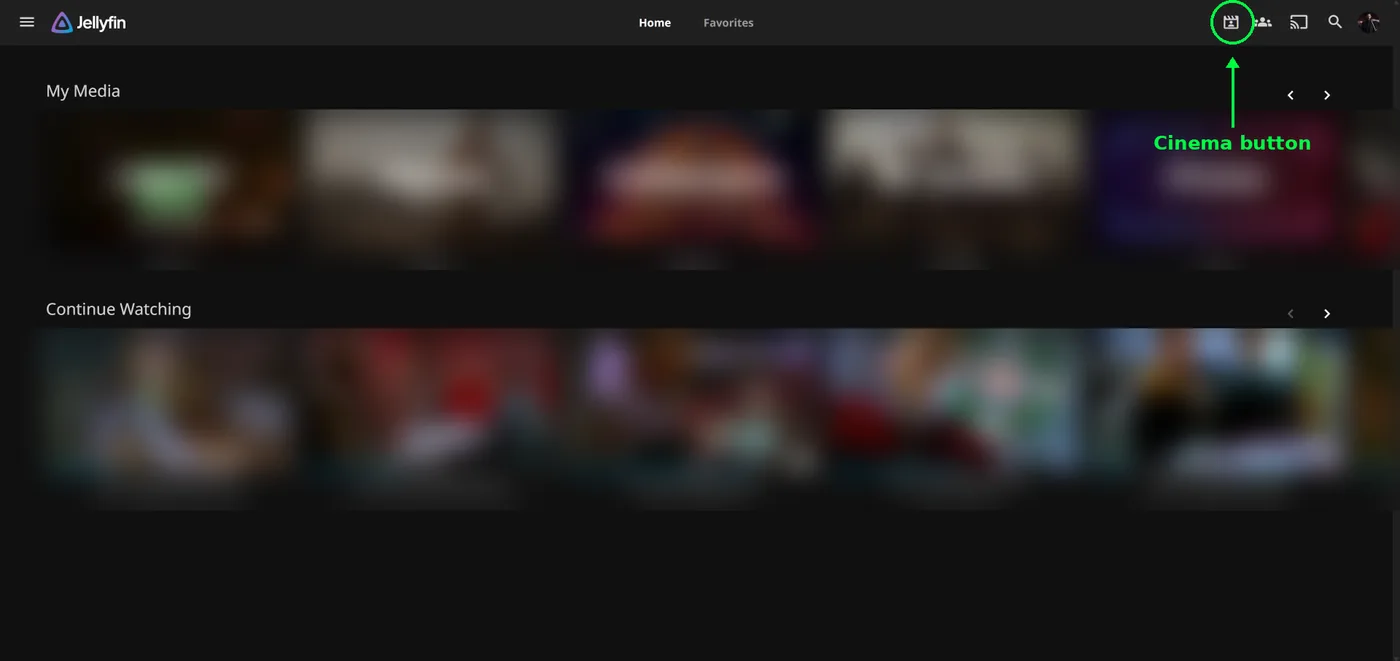
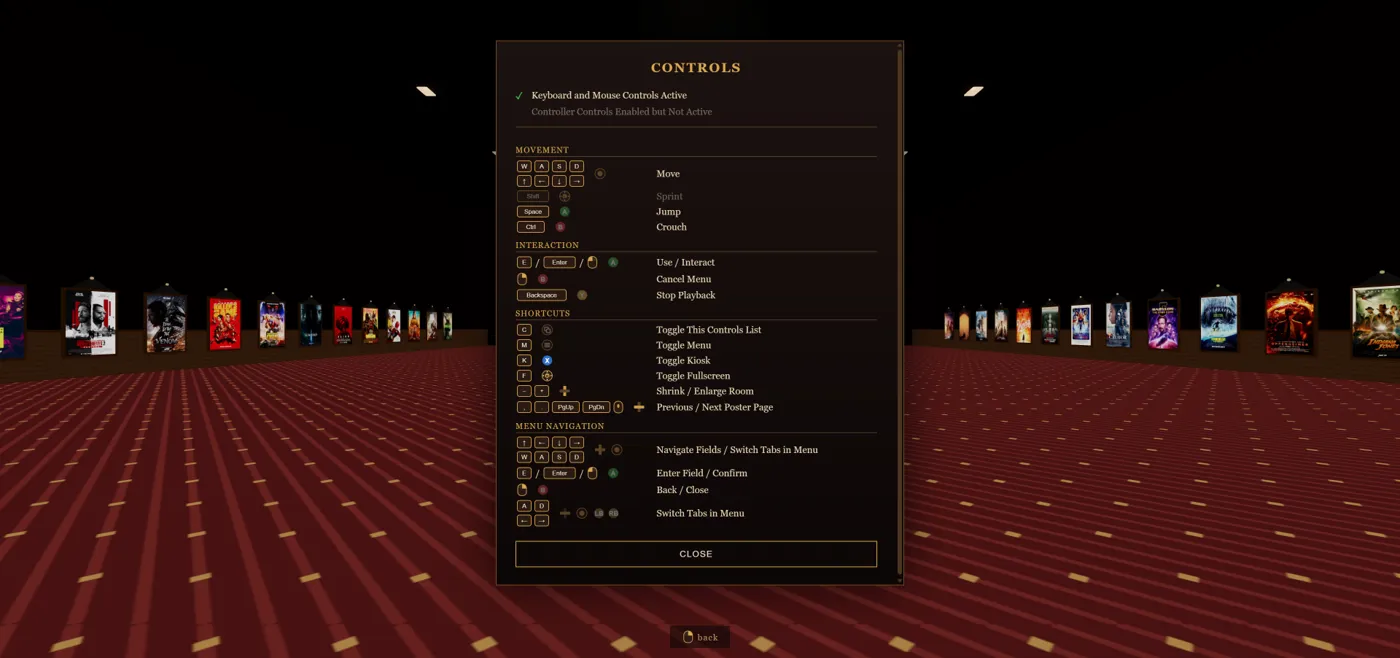
You press the Cinema button in Jellyfin Web and a first-person 3D room opens in its own browser tab. You walk around with WASD and mouse, or with a controller. I tested that with an Xbox Elite Series 2, and sprint is on by default. The room is made from your library.
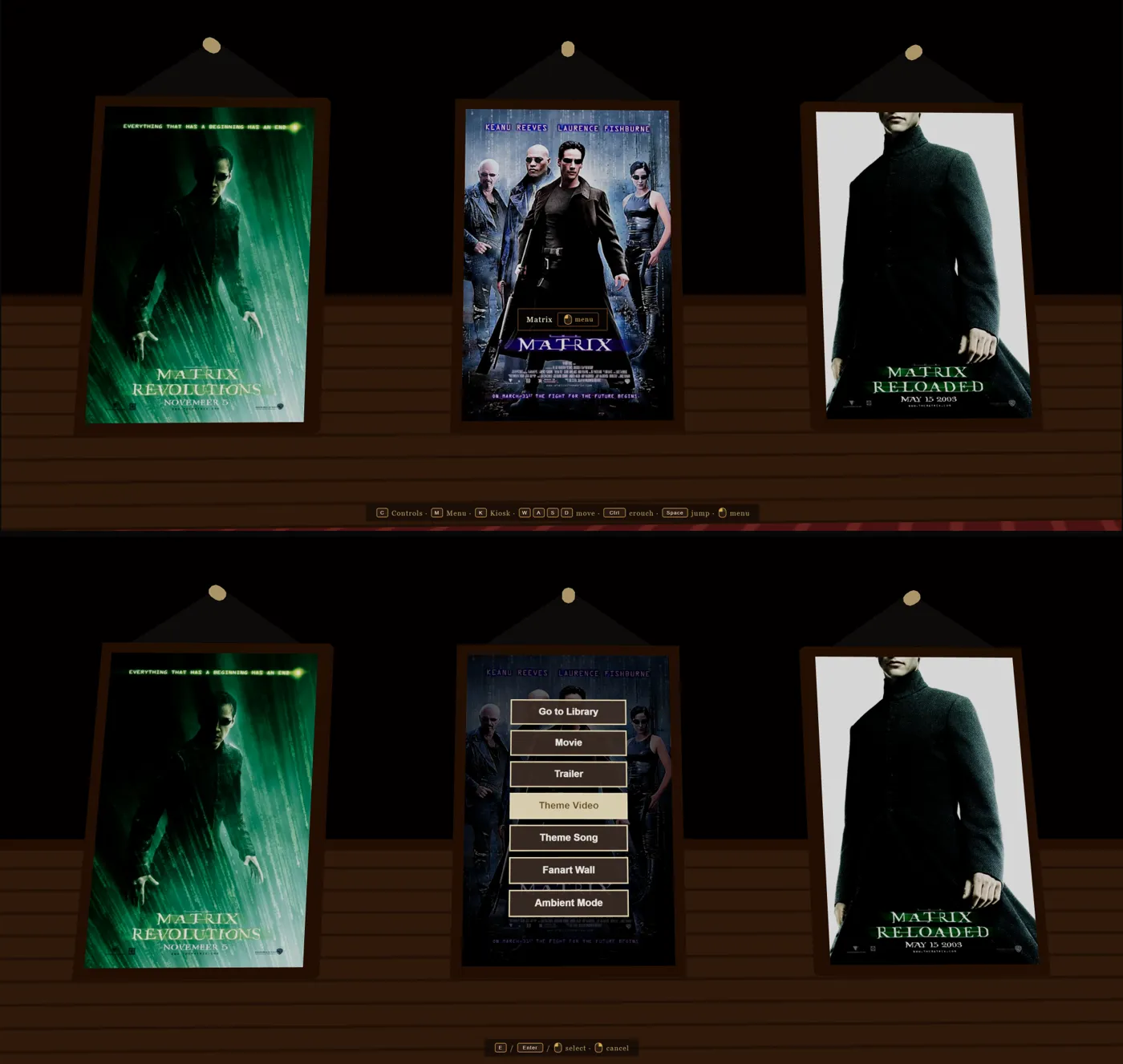
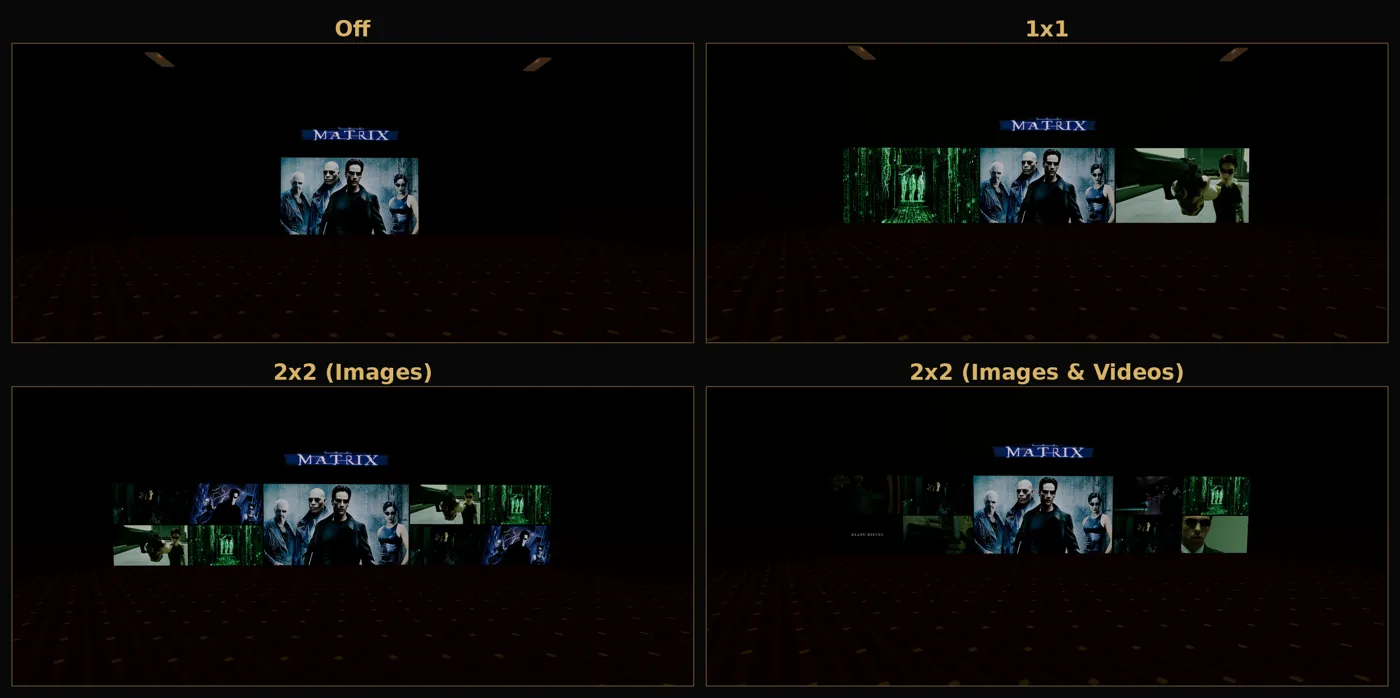
The side walls are the posters, and they are the real point of contact. Walk up to one and you get its effects: Go to Library, Movie, Trailer, Theme Video, Theme Song, Fanart Wall and Ambient Mode. The front wall is the screen, for the film, trailer or theme video, or an art wall for the theme song and fanart. The back wall shows fanart with a clearlogo above it, and optionally a grid of extra images mixed with trailers, theme videos and short random clips from your films.
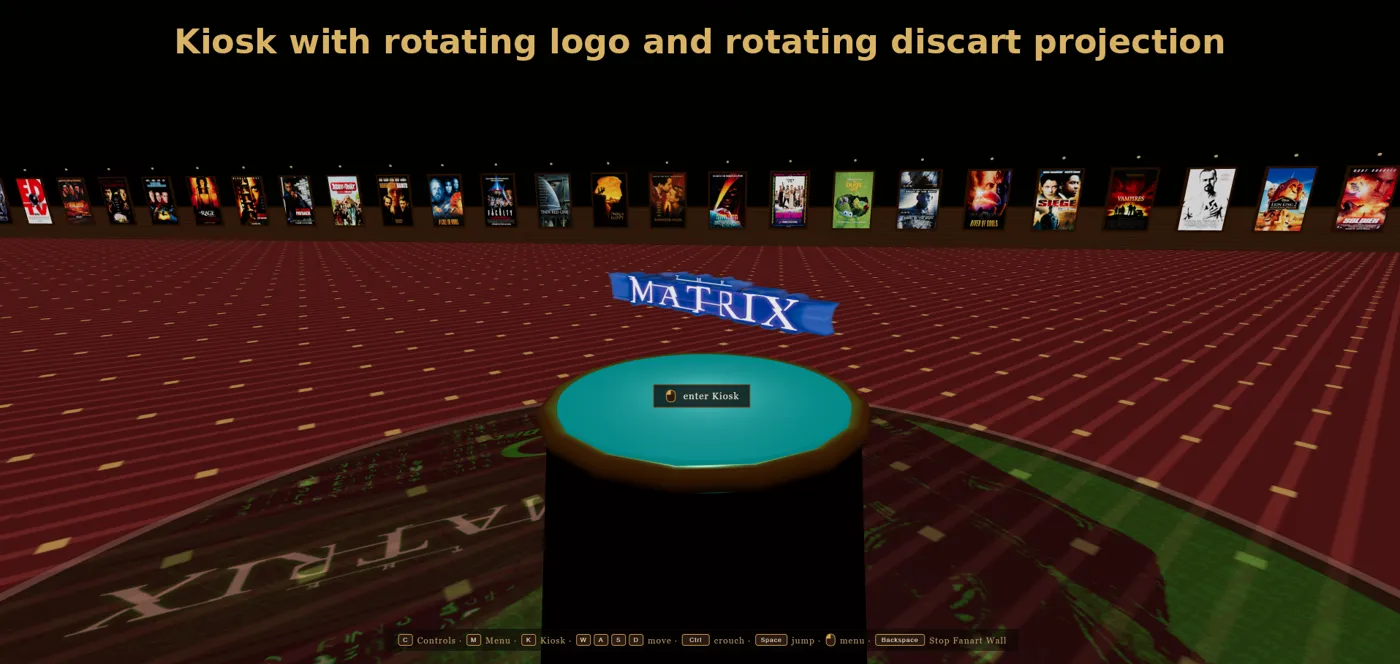
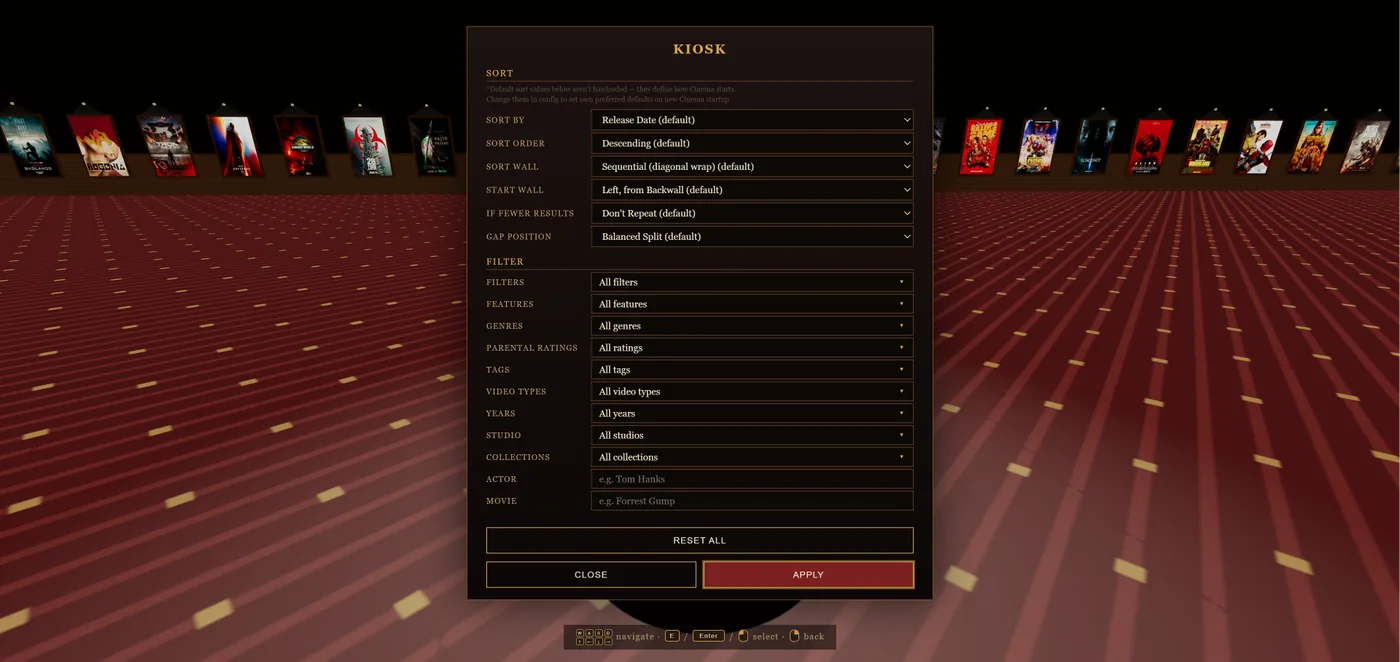
In the middle stands the Kiosk. It rises from the floor as you approach and holds search, filters and sorting by movies, favorites, collections, genres, tags, studios and people. Above it floats a rotating 3D clearlogo of the active film, with an optional glitch effect.
Around each poster effect there are five environment effects: Backwall Art, Screen Art, Disc Art, Poster Light and Dim Room. So the theme song can start at a random point, fade in, dim the room and light up the poster, while the trailer runs without its own audio and with the theme song on top. Every effect has its own combination, volume and loop setting. With looping off, a trailer can run on into the theme song.

The room comes in three sizes, 10, 20 or 30 posters per wall, and changes live with an animation and no reload. There are two scaling modes and six themes: Velvet, Starship, Neon, Cyber, Classic and Lounge. You page through the library wall by wall.
Ambient Mode, the console and Smart Launch
Three features go well beyond walking around.
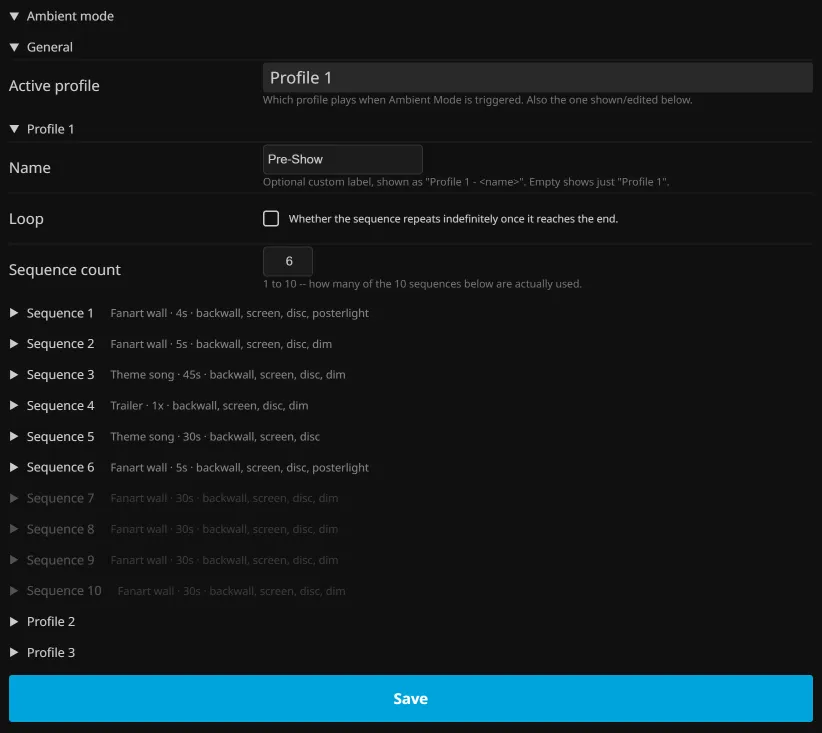
Ambient Mode lets you put together a small show that plays by itself, like a pre-roll or the feeling of walking into a cinema lobby. There are three profiles with up to ten steps each. Every step pairs a poster effect with its own environment set, duration, volume, start position with a random range, theme song timing, audio replacement and fallback.
The keyboard console appears when you press Enter. It is built for lazy typing in nearly any order. gladiator 65% starts the film at that point, gladiator chapter 5 at a chapter, and chapter names are matched against the film's real chapters. Title matching runs in three stages, ignores case and accents, stops at one clear match and refuses to guess otherwise. Effect words have aliases, so ost and soundtrack both mean the theme song. Page jumps work like next 3 pages. Filters and sorts can be typed directly and stacked: genre horror studio a24 sort name ascending. Filters are not additive and sorts are. The word collection is recognised in close to twenty languages, and random has five different meanings depending on what surrounds it.
Smart Launch connects the room to where you already are. Press the Cinema button from a Jellyfin view and your sort, filter and scroll position come with you. Each view can be switched on or off, and from a film's detail page it can jump straight into any poster effect, for example that film's trailer.
How to set it up, and the limits
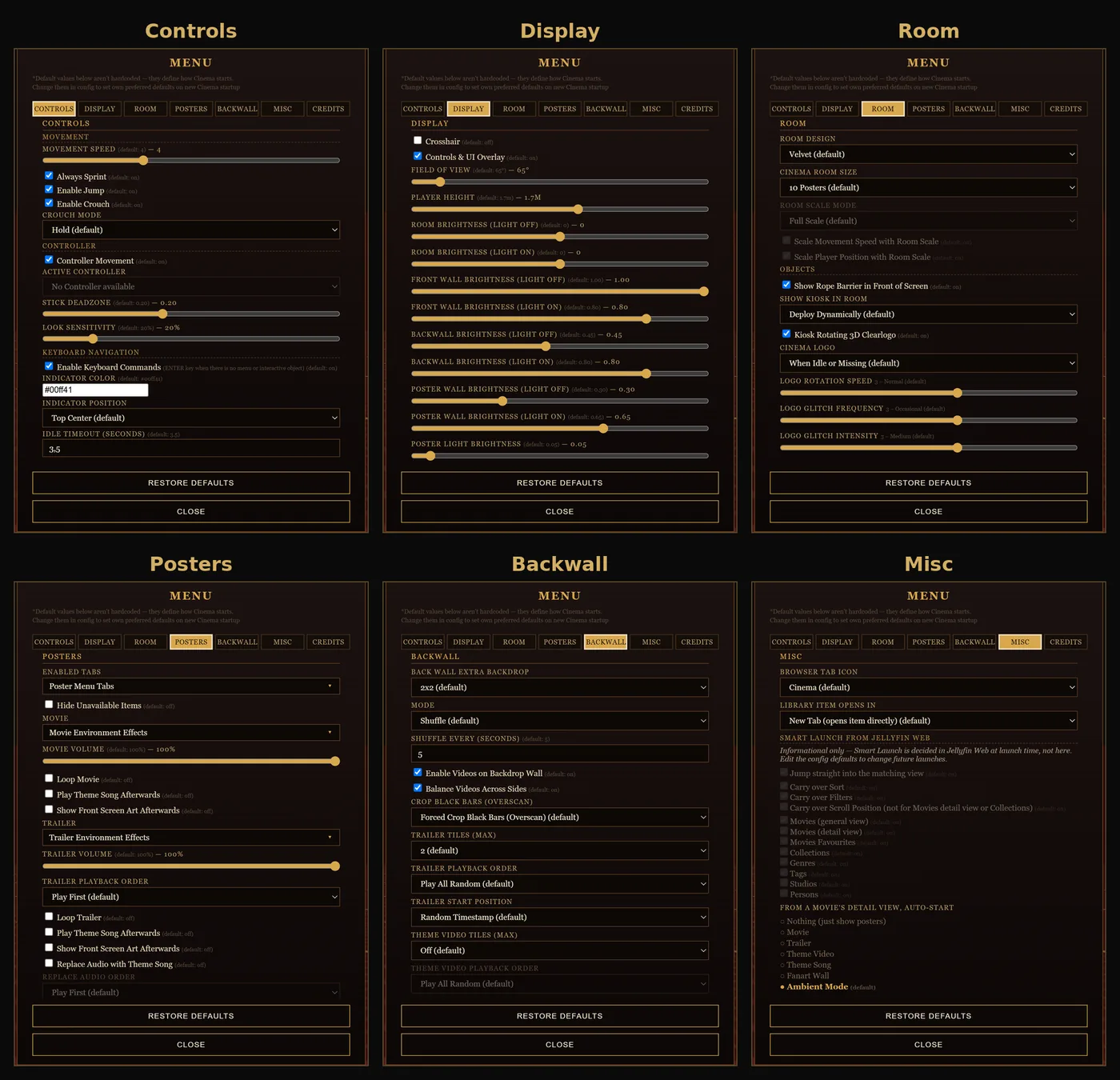
There are two routes. The recommended one is the plugin: 1.x for 10.10.7, 2.x for 12.0+, and the catalog picks the right one. It uses the File Transformation plugin by IAmParadox27. The other route is the standalone script through a JavaScript injector such as n00bcodr's, where defaults are edited in the .js file. The in-room Options menu has six tabs and works at once but is not saved. The plugin's admin page has seven tabs, saves server-wide, and can back up and restore everything as a code string. That page holds 817 settings.
The plugin itself is deliberately thin. It contains no script. It registers with File Transformation and injects a tag for the published script, which is 17,119 lines and is delivered through jsDelivr, so a script fix does not need a new plugin. If that registration fails it falls back to writing index.html directly.
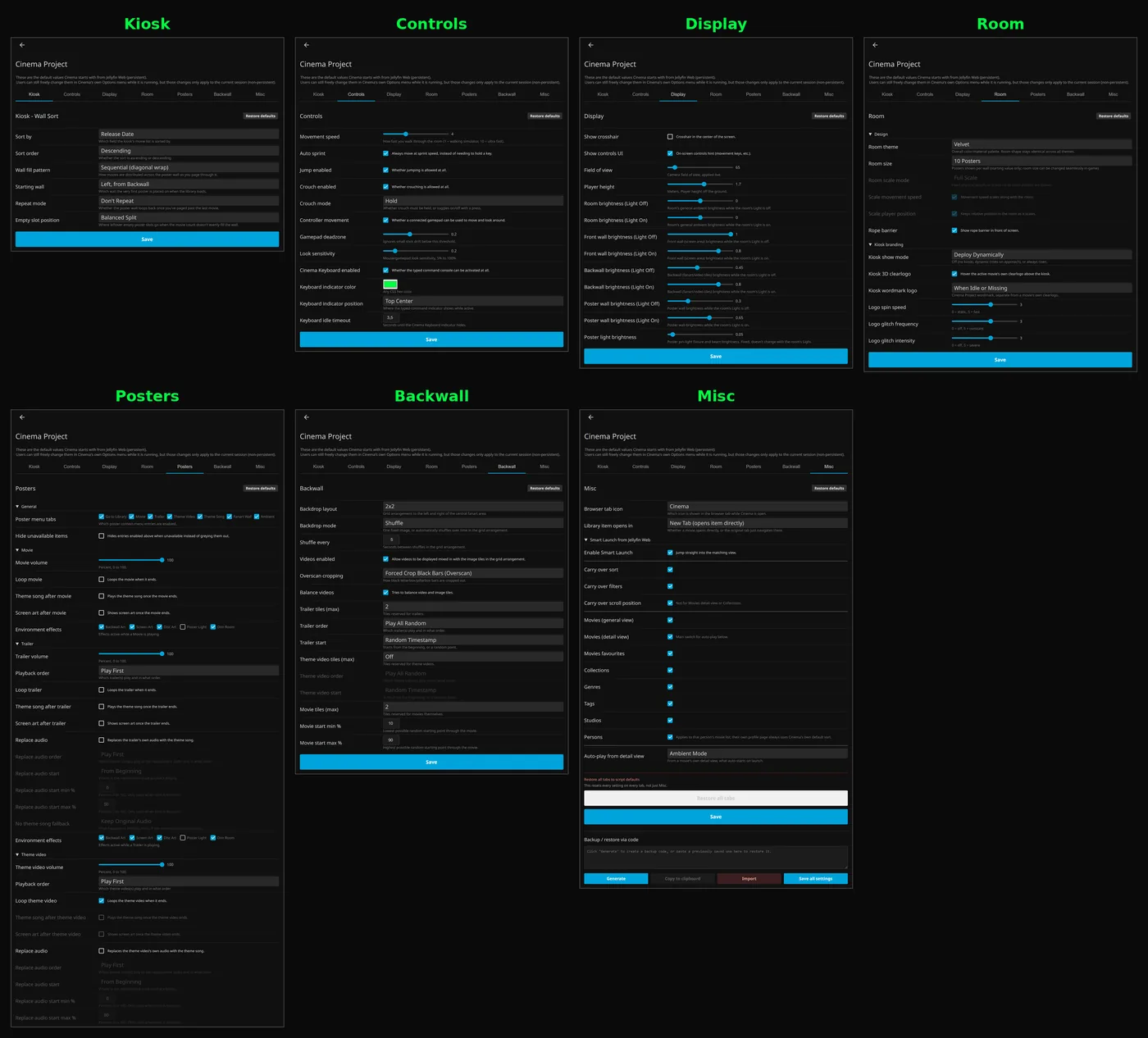
The limits are real and I put them in the README. It needs a desktop browser with WebGL2. The button does not appear on phones, tablets or TVs and it does not run in the official apps. I tested Jellyfin Web 10.10.7 and 12.0+ on Windows 11 and Chrome. Versions in between, such as 10.11, are untested in practice. .mp4 and .mkv work, .avi does not, only .mp3 theme songs were tested, and there are no subtitles. The room opens as a Blob URL, and the browser ties that to the document that made it, so the original Jellyfin tab has to stay open. And it needs a library already rich in artwork and theme media. An empty folder makes an empty room.
How it was made, and with what
The tools are simple to list. The room is three.js in plain JavaScript, inside one script file. The code was built with the help of Claude Max, as my README says, in long German chat sessions, full-time over one month. The plugin around it is a small C# loader. Later the project moved to Claude Code, with Playwright for live tests and a separate session for counter-audits. All of those are Claude sessions. I gave every start signal, decided the scope, and tested by use and by eye. README, description and licence are mine.
A chat has no memory of last week and no compiler, so the rules had to carry the project. No code without a start word from me: "baue", "go", "mach", "weiter". No fixes on guesses. A fixed chain before every delivery: syntax check, template-literal evaluation, inner script check, smoke test, version bump, delivery. A base test hook covered 44 scenarios. A five-tab config spreadsheet stayed in step with the script, and written project notes let a new conversation pick up the work.
Seventeen thousand lines in one browser tab
Size. A 17,000-line script is far more than any conversation can hold, and most of the discipline above exists for that reason. Even line numbers in comments became a trap, because they referred to themselves and every correction shifted the other blocks.
Real-time behaviour in a browser. Light, sound and video all have to change together while you walk around. Poster light collected seven historical bugs, which are written into the code as a warning. The theme song had to move from animation frames to real timers with a dB-linear curve. Jumping to a position needed a change of mechanism. Three input methods had to behave the same in every menu.
Getting a script into Jellyfin properly. The plugin looked like the easy part and came with fourteen listed problems. File Transformation expects exact types and a string back, plugin load order cannot be relied on, and direct writes to index.html fail on my Windows setup. It was solved by reading real logs and comparing several plugins that actually work.
Two Jellyfin lines. For Jellyfin 12 the script's authentication changed in 29 places and 25 obsolete routes were replaced, and the modern layout works differently. Both source trees were compared, a shared compatibility block went into the script, and one project now builds for both. Each change went through self-audit, counter-audit, fix and retest. The port also brought out older faults that were already on my real server, such as saved list settings that doubled on every server start.
What cannot be measured. Walking, mouse look and the controller cannot be read from outside, because the camera is not exposed. Those rest on using it by hand. There is no frame-rate figure for the room, because nobody measured one.
What carried it, and what was dropped
- Worked: one thin loader that fetches the script. A script fix needs no new plugin.
- Worked: the console, with three-stage matching that refuses to guess.
- Worked: live resizing and Smart Launch, which connect the room to Jellyfin.
- Worked: the strict delivery chain in chat sessions, which kept a very long script alive without a build system.
- Worked: audit and counter-audit for the port. On test servers all 11 Cinema steps of the shared plugin test passed, and opening Cinema from a detail page costs 107 requests on 10.10.7 and 109 on 12.1, with no errors.
- Worked: 36 list settings moved to a new format, which ended the doubling and held over two restarts.
- Partly: the room needs a rich library. With little artwork and theme media it stays empty.
- Did not work: ten selectable poster animations, which came down to one proven fade.
- Did not work: building through GitHub Actions. The round trip was too slow, and the build moved to my own machine.
XDA Developers wrote about it. The writer liked the poster lobby, the dimmed lights on playback, the kiosk, the controller support and the game feel. The criticism was fair too: browser only, no big-screen version, and the original tab must stay open.
An experiment, and I say so
The current releases are 1.4.0.0 for 10.10.7 and 2.0.0.0 for 12.0+, and the project is in maintenance with no new feature planned. Support for touch and TV remotes was dropped.
I said it in the README and I mean it: this is not a polished, finished product. It is an experiment and a showcase for combining media-server metadata with three.js. What I take from it is that a chat AI can carry a project far beyond one conversation, if the rules, the checks and the written memory are stronger than the conversation. Destroy later followed its controller approach, and the loader pattern carried over to VideoOSD.
Connected
Next: Destroy