Tree / Self Hosting / Movies & TV Shows / Jellyfin / Library View
Random Button Extended
A context-aware random button with Auto Mode.
- Status
- Green · Published
- Type
- script
- Hours
- about 8
- Tokens
- about 3.7 M
A real GitHub fork of n00bcodr's Random Button, locked to the library you are standing in.
In this article
A random button that knows where you are
This is a real GitHub fork of Jellyfin-Random-Button by n00bcodr. His script adds a shuffle button to the header that jumps to a random movie or show. Its functionality has since moved into his Jellyfin Enhanced project.
The gap I worked on: the button did not care where you were. Standing in one library, a click could take you anywhere. This fork locks the button to the current library and media type, and it adds a passive mode that keeps opening new items by itself.
How it behaves
The lock is implicit. Go into a library and the button stays there. Leave it and the lock is gone.
| Where you are | What a click picks |
|---|---|
| Home | A random movie or series, or a collection if its ID is set |
| Inside a library | Only that library and media type |
| Series view | A random series |
| Season view | A random episode of that season |
| Episode view | A random episode from any season of that series |
| Home videos | A random item inside the current folder tree |
| Genres, tags, studios, info pages | A random movie or series |
Some details:
- Series view: a random series. Season view: a random episode of that season. Episode view: a random episode from any season of that series. So you can move from series to season to episode and keep shuffling on that level.
- Home videos: recursive, respecting folders, and always inside the current folder tree, flat or nested.
- Everywhere else, such as genres, tags and studios: a random movie or series. Some collection containers work when the IDs are set, though the behaviour may be imperfect.
- Global fallback: if the placeholders are still in the file, it picks only movies or series and applies no library logic, so the button always opens something.
The lock works for movies, series, collections and home videos once the IDs are set.
Auto Mode and the triple click
A double click starts Auto Mode: every 12 seconds a new random item opens, or every 24 seconds in v3 by default. The icon changes, a manual click still works and resets the timer, and it stops when a video starts, on another double click or on reload. A triple click cycles the interval through 3, 6, 12, 24 and 48 seconds, and the value shows briefly next to the icon. Longer intervals leave time for the intros and themes of movies, shorter ones suit fast shuffling through episodes of familiar series.
| Action | Effect |
|---|---|
| Single click | One random item, and in Auto Mode it also resets the timer |
| Double click | Auto Mode on or off |
Triple click (v3) | Next interval: 3, 6, 12, 24, 48 seconds |
Auto Mode respects the library lock and the context logic, and it works in all supported libraries. It is made for passive discovery, or for a quick shuffling game through the home videos. The chosen interval is temporary and resets when the page reloads. If Auto Mode is running, a new value takes effect at once.
I use this feature all the time, and it has become indispensable. Triple clicks take some muscle memory, especially one after another, and I have not found a better solution. That is also why there are no steps above 48 seconds. You can shorten the list if you prefer, for example to three steps: it is the line timerStates in the script. In v2 the interval is a value in the script as well.
Autoscroll was made as a companion to this button and the Fullscreen Button, for exactly this. With Auto Mode on, a new item opens at each interval, Autoscroll moves slowly through the page, and the fullscreen toggle stays in the same corner of the header. No state is shared between them, so each one also runs alone.
Setup
There are three files: v1 is the plain button, v2 adds Auto Mode, v3 adds the timer. All of them need your library IDs in place of the pasteyouridhere placeholders:
| Setting | What goes in |
|---|---|
MOVIES_PARENT_ID | The ID of your movie library |
TVSHOWS_PARENT_ID | The ID of your series library |
COLLECTIONS_PARENT_ID | The ID of your collection library |
HOME1_PARENT_ID | The ID of your first home video library |
HOME2_PARENT_ID | The ID of your second home video library |
They are prepared for one movie library, one series library, one collection library and two home video libraries. Other setups need small code changes. Without IDs the button still works, but only with random movies or series.
Jellyfin Enhanced has its own Random Button, and this script has not been tested with it. I strongly recommend disabling that one first, because the two may conflict.
Limits that stayed, and a rebuilt shell
Some limits have stayed, and the README names them.
- Did not work: generalising without library IDs. Pasted IDs are still needed.
- Partly: avoiding cross-locking between Movie, Series and Home views.
- Did not work: limiting tag, genre and actor shuffling to a library. Those stay global.
Claude sessions rebuilt everything around the button: the look, the port to Jellyfin 12, and a full audit with a counter-audit. Each of the three files at least doubled. The look was the visible part. The button now uses Jellyfin's own header classes, and measured against the Search and Cast buttons it matched exactly, in the classic header and in the new toolbar. Several custom buttons used to fight for their place in the header, so Random, Autoscroll, Fullscreen, Cinema and Destroy now share one order and no longer react to other scripts moving things around.
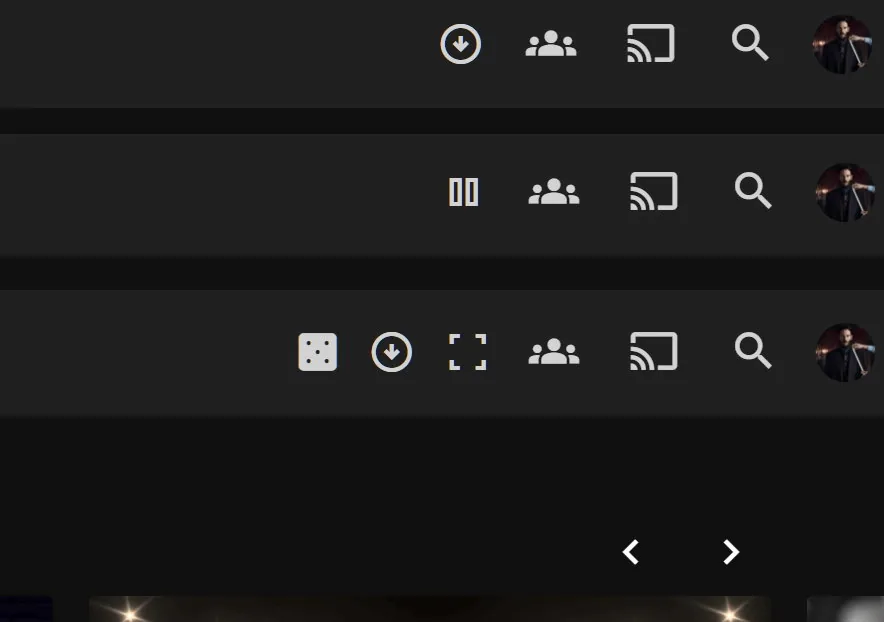
The audit found the quieter faults. The first pick from the web root reloaded the page and silently ended Auto Mode. On servers behind a reverse proxy with a base path the script built its own URLs, and it now asks Jellyfin's API client instead. Auto Mode against a server that keeps rejecting requests would have run forever, and it now stops after a number of rejected picks in a row.
Also part of Essentials
This script now also runs inside my Essentials plugin, with its settings on a normal dashboard page instead of values at the top of the code. On its own, through the JavaScript Injector, it works as before.
Connected
Next: Fullscreen Button